UDIMM is a type of DIMM. They are not two competing memory products. DIMM means Dual In-line Memory Module; UDIMM adds the information that the module is unbuffered. A product described as a DDR5 UDIMM is therefore also a DDR5 DIMM.
The practical question behind “DDR5 DIMM vs UDIMM” is whether a listing identifies the module type your platform supports. “DDR5 DIMM” alone can leave that question unanswered. Before buying, separate the memory generation, physical format, registered or unbuffered design, and ECC requirement.
DIMM is the broader term for a memory module with electrically distinct contacts on opposite sides of its circuit board. It does not, by itself, specify a capacity, data rate, ECC capability, or registered design.
UDIMM means Unbuffered DIMM. Conventional UDIMMs do not use the command/address register found on registered DIMMs. This is a module architecture distinction, not a description of whether the product has a heat spreader, RGB lighting, or chips on both sides.
In desktop retail listings, “DIMM” is often used as shorthand for a full-size memory module, particularly when contrasted with SO-DIMM. That shorthand is useful for browsing but incomplete for a purchase specification. Ask whether the exact item is an ordinary UDIMM, an ECC UDIMM, a CUDIMM, an RDIMM, or another supported class.
Do not compare “DDR5 DIMM” and “DDR5 UDIMM” as if one were automatically faster or more reliable. One label is less specific. Performance comparisons require actual configurations, operating settings, and a supported platform.
Several terms can apply to one module because they answer different questions. DDR5 describes the memory generation. SO-DIMM describes a compact physical format. UDIMM and RDIMM distinguish unbuffered and registered module designs. ECC describes error-correction capability that also depends on the host.
| Term | What it tells you | What it does not establish |
|---|---|---|
| DDR5 DIMM | A DDR5 memory module, with DIMM sometimes used as full-size shorthand | The exact registered/unbuffered class, ECC capability, or platform approval |
| DDR5 UDIMM | An unbuffered DDR5 DIMM | That it is necessarily non-ECC, or compatible with every DDR5 motherboard |
| DDR5 RDIMM | A registered DDR5 DIMM with an RCD, or Registering Clock Driver | That an ordinary desktop UDIMM platform can use it |
| DDR5 SO-DIMM | A compact module format used by supported notebooks and small systems | That it fits a full-size desktop DIMM slot or every laptop |
| DDR5 CUDIMM | A clocked unbuffered DIMM with a clock-driver component | Universal compatibility with systems designed for conventional UDIMMs |
Micron's DRAM module reference guide lists module classes separately. Use such references to understand the terminology, then use the exact system manual and module datasheet to select a part.
A DDR5 UDIMM can contain support components such as a power-management IC and an SPD hub. Their presence does not make it an RDIMM. The relevant distinction is the module's signal architecture, not simply whether an extra chip is visible beside the DRAM packages.
A CUDIMM's clock driver is also different from the registering clock driver on an RDIMM. Do not substitute one class for another because both names mention a driver. Confirm the class supported by the processor, board, and firmware.

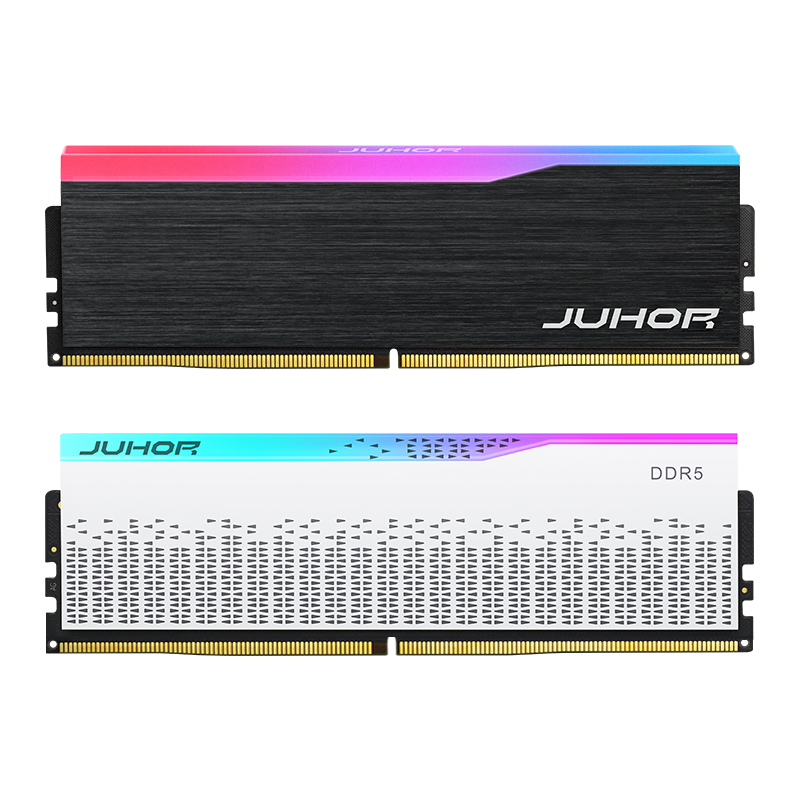
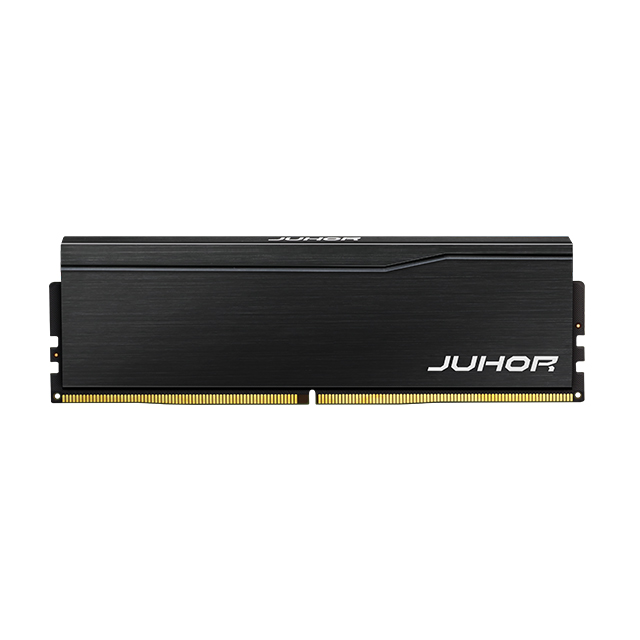
JUHOR desktop DDR5 product image. The exterior illustrates the full-size desktop format; it does not independently prove ECC capability, internal organization, or compatibility with a particular motherboard.
A conventional desktop DDR5 UDIMM uses a full-size 288-pin format, while a standard DDR5 SO-DIMM uses a compact 262-pin format. They are not interchangeable. A board specification saying “DDR5” is therefore only the first identification step.
DDR5 UDIMMs and DDR5 RDIMMs also have different module keying. Do not assume that two full-length modules belong in the same socket. Never force a module into a slot or modify a notch to make it fit.
Start with the platform's documented module class. A motherboard requiring unbuffered memory should not receive an RDIMM because the capacity and advertised rate look suitable. Likewise, a system specified for RDIMMs should not be supplied with desktop UDIMMs.
“Workstation” and “server” are system categories, not complete memory specifications. Different platforms can require different module classes. Check the exact processor, motherboard model and revision, BIOS, and supported population rules rather than relying on the system's marketing label.
Once the class is correct, check capacity per module, total capacity, module count, slot positions, and expected running rate. The DDR5 UDIMM compatibility checklist covers those platform checks for desktop UDIMM purchases. Its scope should not be extended to RDIMM systems.
UDIMM does not automatically mean non-ECC. ECC UDIMMs exist, so a request for “ECC DDR5” still needs the module class. It should state whether the platform requires an ECC UDIMM, an ECC RDIMM, or another explicitly supported type.
DDR5 DRAM includes on-die error correction within the memory chips. That protection does not, by itself, provide error correction for data transferred between the module and the processor's memory controller.
A system-level ECC requirement needs an appropriate ECC module and a supporting platform. Kingston's DDR5 technical overview distinguishes on-die correction from the additional protection associated with ECC-class modules.
For procurement, ask what an “ECC” label actually means. A statement about on-die ECC is not sufficient evidence that an ordinary desktop module meets a workstation's ECC requirement. Nor does the ability to boot prove that system-level correction is active.
Confirm the exact processor's ECC support.
Check the motherboard and BIOS requirements for the intended ECC module class.
Request the module datasheet rather than relying on a marketplace title.
If ECC operation is mandatory, define the required verification record using platform-supported reporting or management tools.
Keep ECC status and registered type in separate specification fields. This prevents “unbuffered” from being mistaken for “non-ECC,” or “ECC” from being treated as permission to substitute an RDIMM.
“32GB DDR5 DIMM” leaves several important fields open. It may not say whether 32GB is one module or a kit total, whether the module is unbuffered, or whether the system needs ECC. Resolve those gaps before comparing quotations.
| Specification field | What to record | Why it matters |
|---|---|---|
| Generation and module class | DDR5; conventional UDIMM, ECC UDIMM, RDIMM, or another documented requirement | Stops an unsuitable module class from entering the shortlist |
| Physical format | Full-size desktop or compact format, with mechanical details where needed | Prevents a form-factor substitution |
| ECC requirement | Non-ECC or the specified system-level ECC function | Separates host ECC from on-die correction |
| Capacity and layout | Capacity per module, module count, total capacity, and kit status | Makes a single-module request different from a multi-module package |
| Operating conditions | Required data rate and default or profile-based setting | Distinguishes an advertised rating from the intended running condition |
| Identity and evidence | Part number, revision, datasheet, platform details, and applicable test record | Connects the quoted item to the configuration being reviewed |
For example, a desktop requirement could read: “DDR5 conventional non-ECC UDIMM; 16GB per module; two modules per system; 32GB total; required operating rate to be confirmed against the attached CPU, motherboard, and BIOS details.” This is a requirement-writing example, not a JUHOR product offer.
Do not decode an unfamiliar label suffix without the manufacturer's part-number guide. Send a clear photo of the complete label and request the corresponding datasheet. Retail names, heat-spreader designs, and RGB options are not substitutes for module identification.
For a JUHOR desktop inquiry, use the DDR5 desktop memory category as a starting point. Provide the exact processor, motherboard and BIOS, existing module-label photos, desired capacity arrangement, operating-rate requirement, and quantity. Ask for the specification of the proposed module before approving a substitute.
When reviewing files from the technical-document download page, match the document's part number, generation, and module class to the item under discussion. A document for another capacity or memory class does not establish the proposed product's specifications.
The RDIMM and ECC terms in this guide explain technical categories. They do not state that JUHOR supplies those models. Any proposed product class and its availability require separate confirmation.
A DDR5 UDIMM is a DDR5 DIMM, but “DIMM” alone does not identify the unbuffered class. Confirm the full module description before buying.
That comparison is incomplete because UDIMM is a DIMM type. Compare actual supported products, data rates, settings, and workloads rather than these two labels.
No automatic substitution is valid. ECC capability does not remove the difference between registered and unbuffered designs. Use the module class required by the exact platform.
No. DDR5 on-die correction does not establish that capability. Check the module's ECC specification and the host's support and reporting.
No. Use the full part number, manufacturer datasheet, and platform documentation. Appearance can help recognize broad physical format but cannot complete the compatibility check.
Send the complete label photo, system or motherboard model, processor, BIOS, installed module count, and target capacity. Request written confirmation of the required module class before ordering.


4 / F, No. 18, Langkou Industrial Park, Langkou Community, Dalang Street,Shenzhen,Guangodng , China