<meta charset="UTF-8"/><meta name="viewport" content="width=device-width, initial-scale=1.0"/><title>DDR5 5200 vs 5600 vs 6000: How to Choose the Right Speed for Your Platform</title><meta name="description" content="Compare DDR5-5200, 5600 and 6000 by operating settings, timings, CPU and motherboard support, module count, and workload tests. Build a platform-specific specification and quote request."/>
Choose the DDR5 setting that the intended desktop can run stably with the required capacity and module layout. Evaluate 5200 or 5600 when they meet the host specification and workload. Consider 6000 when the exact platform supports the proposed setting and testing gives a reason to pay for it. The largest number should not determine the order on its own.
For buyers comparing 5200 vs 6000 DDR5, 5600 is another configuration to evaluate between them. A useful comparison keeps total capacity, module count, platform, and test conditions consistent, then records the actual rate, timings, and profile used. This guide covers desktop DDR5 UDIMMs and how to turn the three rate labels into a platform-specific shortlist.
DDR5-5200, DDR5-5600, and DDR5-6000 identify effective transfer rates in MT/s. Retail descriptions often use MHz for those same headline numbers. A tool reporting DRAM clock frequency can show approximately half the effective rate because DDR transfers data twice per clock cycle.
| Data-rate label | Effective transfer rate | Corresponding DRAM clock | What it does not establish |
|---|---|---|---|
| DDR5-5200 | 5200 MT/s | About 2600 MHz | The default setting or compatibility of every 5200-rated module |
| DDR5-5600 | 5600 MT/s | About 2800 MHz | That every DDR5 CPU and board supports this installed configuration |
| DDR5-6000 | 6000 MT/s | About 3000 MHz | Automatic operation at 6000 or a fixed application-performance advantage |
A faster data rate increases theoretical transfer capacity under equivalent channel conditions. It does not translate directly into the same percentage improvement in frame rates, compile times, or desktop response. The workload may be limited by the CPU, graphics card, storage, capacity, or other parts of the memory subsystem.
Read the SKU's default SPD setting separately from any performance profile. A module advertised at a given rate may need XMP or EXPO to reach it. Standard operation also exists at multiple DDR5 rates. Neither “5200” nor “6000” alone tells the buyer how the proposed desktop boots or which BIOS changes are required.
CAS latency is measured in memory clock cycles. The same CL number represents a different nominal delay at different data rates. Its approximate time component is CL x 2000 / data rate in MT/s. This calculation describes the CAS component, not complete CPU-to-memory latency.
Compare the full relevant settings and their electrical conditions, rather than selecting a kit from data rate or CL alone. Controller behavior, module organization, other timings, and BIOS choices also affect results. JUHOR's DDR5 latency explanation provides more detail on those terms.
Hold capacity constant for a speed comparison. Testing one module against two, or a smaller-capacity system against a larger one, changes more than frequency. If the workload runs short of memory, additional bandwidth cannot replace the missing capacity.
Use the same module count and channel arrangement. A one-module 6000 configuration and a two-module 5200 configuration are different platform populations. Their comparison can be useful as complete system options, but the result should not be presented as the isolated effect of 6000 versus 5200.
Start with the CPU and board documentation, then inspect candidate module settings. Rate labels should become approved configurations rather than fixed labels for “office,” “gaming,” or “professional” use.
| Candidate rate | Useful reason to evaluate it | Approval condition |
|---|---|---|
| 5200 | The host or project requires 5200, or this setting meets the workload and budget | Confirm the exact module's default/profile settings and support for the installed population |
| 5600 | The platform supports the proposed 5600 configuration and it fits the supply plan | Check CPU, rank/population rules, BIOS, and whether a profile is involved |
| 6000 | A validated performance configuration provides value for the target workload | Verify the stored setting, platform support, stability, and the cost of qualifying that SKU |
If the project permits only default operation, compare products on that basis. A higher-rated performance kit that boots at a lower rate may not meet the required specification without a profile. If profiles are permitted, define the setting and evidence needed before accepting the finished system's advertised speed.
Do not assume a higher-rated module can replace a lower-rated one in every host. Check its supported SPD settings, electrical class, organization, and BIOS compatibility. A downclocked proposal is an operating configuration to validate, not a universal substitution rule.
Record the exact CPU model, motherboard and revision, installed BIOS, capacity per module, and slots used. CPU memory specifications and motherboard overclocking lists answer different questions. Read both before deciding what the desktop must deliver at 5200, 5600, or 6000.
Official supported rates can differ with DIMMs per channel and module rank. Four installed modules on a common dual-channel desktop place a different load on the memory controller from two modules. A result obtained with a two-module kit should not be extended to four modules or a different capacity.
Review the motherboard QVL by complete module or kit part number. Match the tested capacity, module count, operating rate, and applicable platform conditions. If the exact item is absent, request another relevant compatibility record or a sample test. A series name or brand logo is not enough to identify the tested product.
Use the board manual for slot placement. For a prebuilt desktop, confirm that its firmware allows the requested settings. A retail motherboard demonstration may not apply to an OEM system with restricted BIOS options. The DDR5 UDIMM compatibility checklist provides the host-information fields to collect.
XMP and EXPO supply stored settings for supported firmware; their presence does not prove every host will run a profile stably. Keep Intel and AMD results separate when a channel sells to both. The XMP and EXPO bulk-order guide explains how to define that validation scope.
A comparison report should identify exactly what changed. If the purpose is to compare three complete commercial kits, record each kit's actual rate, profile, timings, voltage, capacity, and module count. Differences in the result then belong to the complete configurations, not data rate alone.
If engineering wants to isolate the rate, other settings need tighter control and the test must describe how they were held or changed. Do not call an uncontrolled product comparison a pure frequency test.
Use the same CPU, motherboard revision, BIOS, operating system, drivers, and workload.
Keep total capacity, channel layout, and module count consistent.
Record default settings separately from the selected test profile and verify the actual running rate.
Check memory stability, cold boot, restart, and required sleep/wake behavior.
Repeat representative application tests and report the conditions alongside the results.
Define what counts as useful improvement before choosing a more expensive SKU. For a managed office fleet, capacity headroom, stable default operation, and reduced support work may matter more than a small benchmark difference. For a memory-sensitive task, a measured benefit may justify additional qualification. Avoid attaching a fixed performance uplift to any of the three labels.
A channel can organize stock into default-operation and approved-performance configurations. These are validation categories, not promises that one frequency belongs to every customer in a category.
For the default-operation group, define the rate the supported host and proposed modules can deliver without a performance profile. For the approved-performance group, retain the profile and platform result behind the promised setting. A third group may cover service replacements where matching the installed system is more important than changing its speed tier.
Consolidating stock can be useful when one part is validated across several hosts. Confirm that coverage instead of assuming a higher-rated product can replace all lower-rate items. Keep alternative SKUs and changes visible in the bill of materials.
| Requirement | Buyer provides | Supplier confirms |
|---|---|---|
| Platform | CPU, motherboard/revision, BIOS, operating-system environment | Applicable host evidence and restrictions |
| Memory layout | Total capacity, capacity per module, module count, occupied slots | Exact module or kit SKU and organization |
| Operating target | 5200, 5600, or 6000 MT/s; default/profile policy | SPD/profile data, electrical conditions, and sample test requirement |
| Commercial comparison | Budget, quantity, forecast, packaging, delivery window | Comparable quotes for available configurations and current commercial terms |
The JUHOR Star Domain DDR5 desktop page lists 5600 and 6000 among its frequency options. It provides a starting point for a model-specific comparison. The reviewed page does not explicitly establish a dedicated 5200 SKU.
Request a specification sheet for each proposed capacity, module arrangement, and rate. Ask JUHOR whether a requested 5200 configuration is available and how it reaches that setting on the intended host. For 5600 and 6000, confirm the exact part number and operating conditions rather than treating a series-level frequency list as a complete capacity-by-speed matrix.

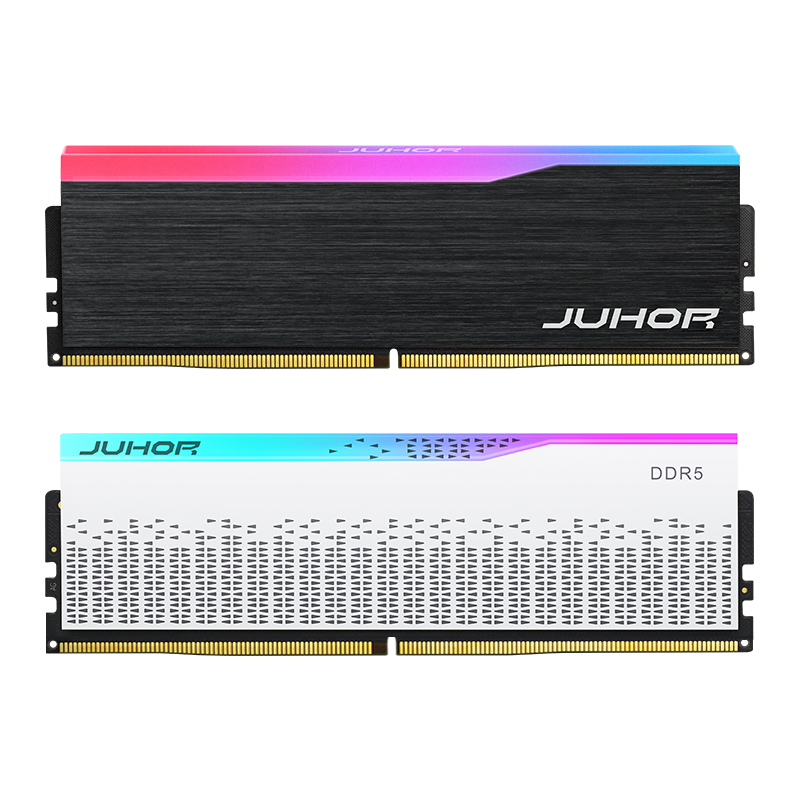
JUHOR desktop DDR5 product reference. The photograph does not identify the selected capacity, data rate, or profile.
Keep requested timings, voltage limits, platform test coverage, and matched-kit status in the technical response. This comparison does not assign those parameters to a JUHOR model. Ask which samples and records are available, then compare the offered configurations on the same capacity and quantity basis.
It can be a suitable choice when the platform supports the proposed configuration and the workload meets its targets. A higher label alone does not establish a better purchase.
The rated transfer rate increases. Actual product differences may also include timings, voltage, default settings, and profiles, so compare the complete specification.
No fixed application advantage can be promised. Capacity, channels, timings, controller behavior, stability, and workload limits affect the result.
It may support a suitable lower setting, but SPD data and host compatibility must be checked for the exact product.
No. Some deployments require default operation. Where a performance profile is used, the exact host and configuration still need validation.
No. Changing module count changes population and can affect channel use or operating limits. Record it as a comparison of complete configurations.
A supplier can propose several configurations, but each needs a part number, settings, capacity layout, availability, and price basis. A single generic series description is insufficient.
Provide JUHOR the CPU and motherboard list, BIOS versions, target capacity, module arrangement, budget, and quantity. Request a 5200/5600/6000 specification comparison for the configurations actually available. Select the option that meets the workload and platform requirements with a documented operating setting and an acceptable total cost.
<!--!doctype-->


4 / F, No. 18, Langkou Industrial Park, Langkou Community, Dalang Street,Shenzhen,Guangodng , China