A distributor orders DDR5-6000 for both Intel and AMD gaming systems. The quotation says “XMP/EXPO compatible,” but the shipment has no profile-specific part number or test record. One system applies the intended setting, another starts at a lower default speed, and the sales team cannot explain which configurations were approved. That ambiguity belongs in the sourcing process before the order reaches assembly.
For buyers comparing XMP vs EXPO DDR5, the practical starting point is XMP 3.0 for a supported Intel build and EXPO for a supported AMD AM5 build. A module carrying both can simplify inventory when both platform lists have been validated. The profile name alone does not establish the operating speed of a finished PC.
This guide focuses on desktop DDR5 UDIMM orders for system manufacturers and channel procurement teams. It explains what to request, how to compare single-profile and dual-profile stock, and how to keep the approved configuration consistent across repeat orders.
Intel XMP 3.0 and AMD EXPO store memory performance settings that supported firmware can apply. Those settings include a data rate, timings, and voltage. They reduce the work of entering individual values, but the CPU memory controller, motherboard, BIOS, and installed modules still determine the result.
XMP 3.0 is Intel's profile format for DDR5. Intel describes a certification process in which vendors test specified memory configurations and Intel reviews passing logs. Its certified-memory list identifies tested hardware combinations. AMD developed EXPO for DDR5 overclocking on Ryzen AM5 systems and provides an overclocked-memory compatibility list.
Both sit alongside the module's standard operating information. A performance kit can boot at a default JEDEC setting until the relevant profile is enabled. The default rate varies by SKU and platform; 4800 MT/s should not be assumed for every DDR5 product.
| Buying factor | Intel XMP 3.0 | AMD EXPO |
|---|---|---|
| Main platform direction | Supported Intel DDR5 systems | Supported AMD Ryzen AM5 DDR5 systems |
| What the profile supplies | Stored performance settings read by compatible firmware | Stored performance settings read by compatible firmware |
| Evidence to request | Exact SKU, profile values, certification status where claimed, and Intel platform test record | Exact SKU, profile values, relevant compatibility evidence, and AMD platform test record |
| Cross-platform use | Possible on boards that support reading the profile; requires separate validation | Possible where firmware supports the profile; requires separate validation |
| Procurement limit | Presence of XMP does not guarantee the rated setting on every Intel or AMD system | Presence of EXPO does not guarantee the rated setting on every AMD or Intel system |
Collect the CPU and motherboard list for the systems that will ship. Record each board's full model, revision, BIOS version, DIMM slots, and memory support. A chipset name is insufficient: retail boards and branded prebuilt systems can expose different profile options.
For an Intel product line, begin with a DDR5 XMP 3.0 SKU supported by the intended board and test its rated setting. For AMD AM5, begin with an EXPO SKU supported by the intended board. If a buyer wants to use an XMP-only kit on AMD or an EXPO-only kit on Intel, treat that as a separate qualification request. A successful result on one board does not establish coverage for the entire platform family.
ASUS's support instructions illustrate that its BIOS can expose XMP, EXPO, or DOCP options according to the platform and module. Menu names describe how that firmware applies a profile; they should not replace the stored-profile description in the purchase order. Use the exact board's manual for the supported selection.

A dual-profile SKU can reduce the number of stock lines when a channel serves both Intel and AMD builders. It can also simplify replacement stock and product training. These benefits depend on the exact product carrying both profiles and passing the relevant platform tests.
Ask the supplier for a profile table or SPD report. It should identify the default setting and each factory profile, including its data rate, voltage, and timing values. Do not infer dual-profile support from a generic “Intel and AMD compatible” statement. That wording may describe baseline operation rather than both performance profiles.
Separate platform-specific SKUs remain useful when Intel and AMD systems need different validated settings, when only one profile is offered, or when the buyer wants clearer support instructions. The choice is commercial: fewer part numbers can reduce stock fragmentation, while separate part numbers can make qualification and after-sales diagnosis easier.
| Channel situation | Starting approach | Approval requirement |
|---|---|---|
| One fixed Intel system range | XMP 3.0 SKU | Test each approved Intel CPU, board, BIOS, and kit configuration |
| One fixed AMD AM5 range | EXPO SKU | Test each approved AMD CPU, board, BIOS, and kit configuration |
| Mixed Intel and AMD distribution | Evaluate a confirmed dual-profile SKU | Keep separate results for both platform lists |
| Restricted prebuilt BIOS or default-only deployment | Specify the required default operating setting | Verify the system meets its specification without a performance profile |
XMP and EXPO are ways to provide settings. A logo cannot establish which kit is faster in a workload. Compare the actual running rate, complete timing configuration, voltage, total capacity, module count, and host system. If two kits run with different settings, their result is a comparison of those configurations.
Specify capacity precisely. A 32GB kit made from two 16GB modules is different from a single 32GB module. Likewise, two matched modules and four modules are different electrical loads. The maximum stable profile setting can change with DIMM population, capacity, and rank. Keep those fields attached to the platform result.
A frequency label such as 6000 MT/s also needs context. Ask whether it is a default setting or a performance-profile setting. Request the agreed baseline when that profile is disabled, and decide what the assembler should do if training fails. The accepted fallback must appear in the finished-system specification rather than being silently substituted during production.
Profiles are memory overclocking settings. System manufacturers should align their advertised configuration and support policy with the CPU, board, and memory suppliers' published operating and warranty terms. A memory-profile capability and a finished-system warranty commitment are separate items to confirm.
Use a small matrix that represents real shipments. Include the highest-volume motherboard, any alternate model, the production BIOS, and each intended kit format. If the same SKU will serve both Intel and AMD systems, test each independently. Keep the hardware and settings visible in the report.
The validation sequence should cover:
Module identity, part number, revision, total capacity, and profiles detected in SPD.
Default operation, including cold boot, restart, capacity detection, and sleep/wake behavior.
The selected factory profile, actual running rate, and the board's memory-training result.
A defined memory stress test and representative application workload in the production chassis.
Recovery after defaults are restored, followed by reapplication of the approved settings.
Repetition on pilot-lot samples before the first volume shipment is released.
Set pass criteria before testing. State the required test duration, allowed errors, workload, and environmental conditions. Keep a retained sample and a copy of the BIOS settings. A screenshot showing the target speed proves that the setting was applied; a stability report provides evidence that the system can be shipped at that setting.
If a configuration fails, classify the symptom: no profile available, failed training, automatic fallback, or errors under load. That classification gives the supplier a useful engineering question. It also helps the buyer decide whether to change the BIOS, kit, platform, or required operating setting.
A repeat order should reference the approved module part number, kit format, component policy, firmware or SPD revision where relevant, and factory profile data. Agree which changes require notification and retesting. These can include DRAM components, PCB revision, SPD programming, or profile values.
The supplier should not replace an XMP-only product with a dual-profile product, or the reverse, simply because the capacity and headline speed match. Either may be acceptable, but the buyer needs to review the changed product and update its assembly instructions, labels, and support records.
For private-label projects, approve what appears on the module and box. State total kit capacity, modules per kit, profile support, and any platform-specific claim. A statement such as “supports Intel and AMD” needs a defined meaning and supporting tests. Avoid extending one passed sample into a universal compatibility promise.
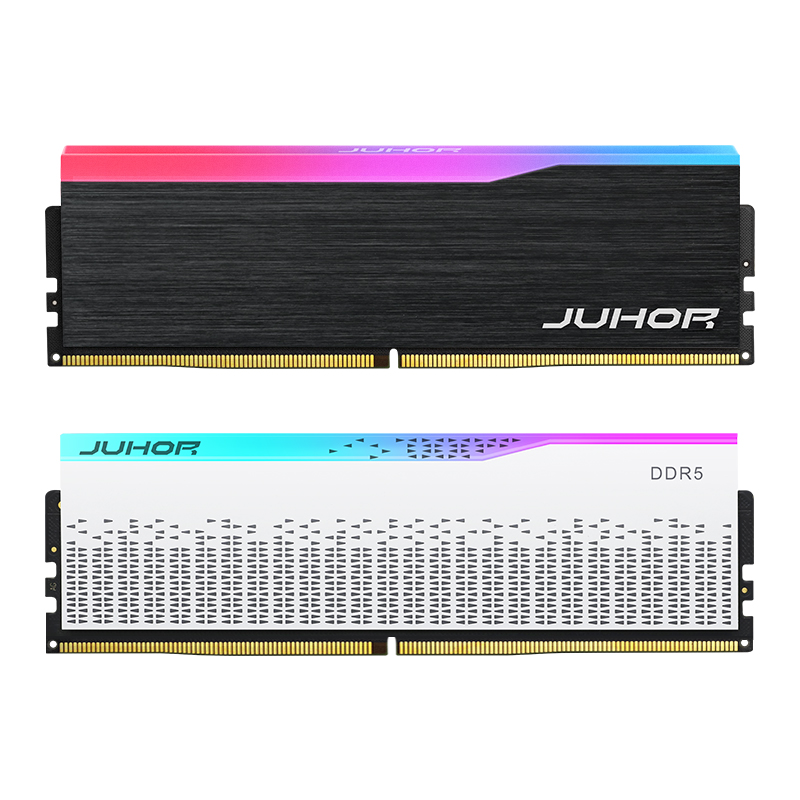
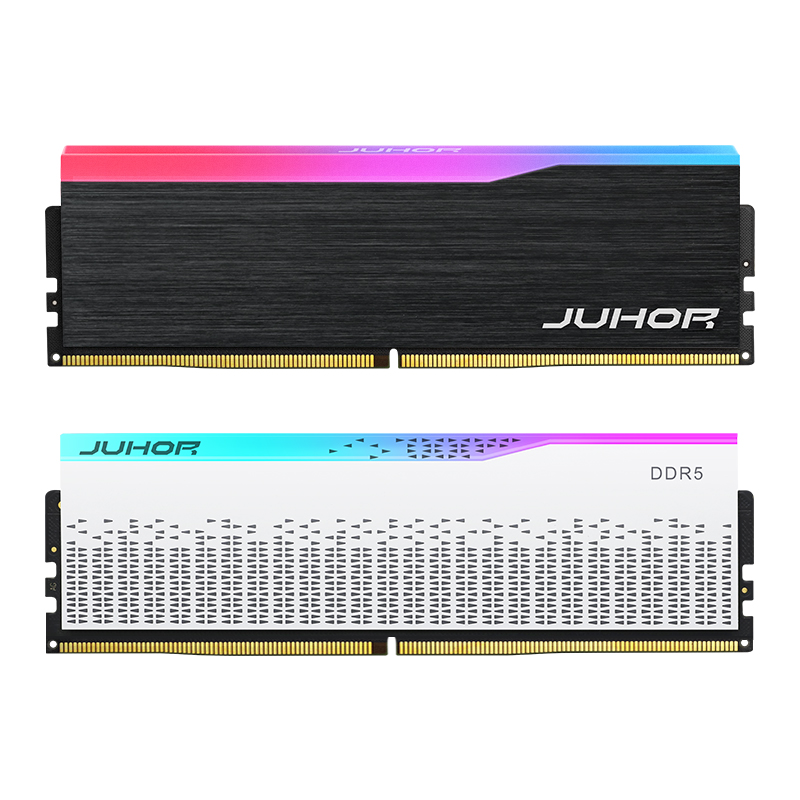
JUHOR's Star Domain black DDR5 desktop memory page lists 4800, 5600, 6000, and 6400 options and describes Intel and AMD profile support. Its public kit descriptions include 16GB total through two 8GB modules and 32GB total through two 16GB modules. These descriptions are a starting point for a SKU-specific request.
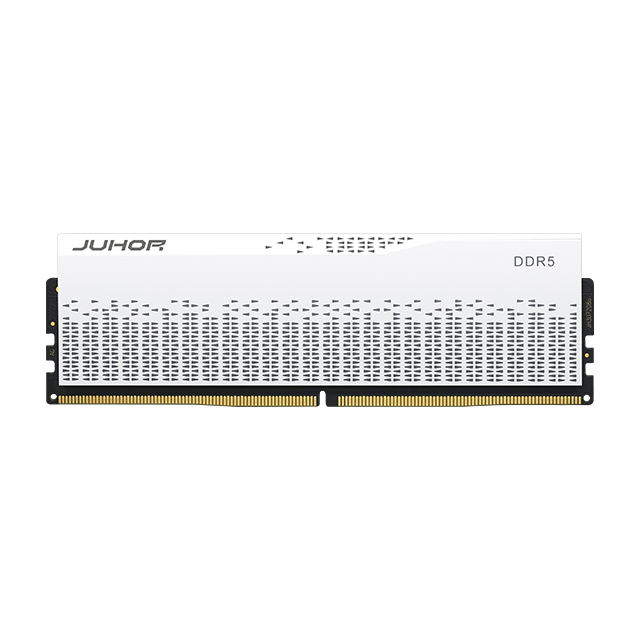
JUHOR also lists RGB Star Domain DDR5 memory in black and white. Profile claims, voltages, and capacity descriptions across the public pages require confirmation for each quotation. Request the exact SKU, default setting, stored XMP 3.0 and/or EXPO profiles, and platform test record before approving a branded configuration.
Include the Intel and AMD motherboard lists in the inquiry rather than asking for generic compatibility. For an OEM/ODM order, add logo, label, box, barcode, kit packaging, and quantity by platform. Ask JUHOR to identify which combinations are confirmed, which require sample validation, and whether one common SKU can cover both channels.
After choosing a profile and platform, use JUHOR's DDR5 latency explanation to support the comparison of timing requirements. The buyer should obtain the final timing values from the approved SKU sheet.
| Buyer supplies | Supplier confirms |
|---|---|
| CPU models, Intel/AMD split, motherboard models and revisions | Compatible module candidates and tested platform coverage |
| Production BIOS versions and operating systems | Required BIOS conditions and sample test plan |
| Total capacity, module count, slots, and target data rate | Exact SKU, kit format, default rate, and available factory profiles |
| XMP, EXPO, or dual-profile requirement | Profile data, voltage, timings, and certification evidence where claimed |
| RGB choice, color, cooler and case clearance | Dimensions, visual options, and lighting-control support where requested |
| Quantity, delivery window, branding, and packaging | Sample terms, MOQ, lead time, revision policy, and warranty process |
Keep quotations comparable by using the same requirements for every supplier. A quote for an untested mixed-platform product and a quote for a validated dual-platform SKU describe different deliverables, even if the capacity and frequency labels match.
Start with XMP 3.0 on an Intel DDR5 platform that supports it. Qualify the exact CPU, board, BIOS, and kit before approving the operating setting.
EXPO is the natural starting point for supported AM5 builds. An XMP kit can also be evaluated when the board supports it, with separate platform testing.
No. It means the exact product provides both profile types. Compatibility and stable running settings still depend on the platform and installed configuration.
The profile name does not establish performance. Compare actual operating settings and workloads on equivalent systems.
No. Ask whether the exact part number is certified and request the relevant evidence when certification is a purchasing requirement.
That combination needs its own validation. Two kits sharing capacity and speed labels are not automatically qualified as one four-module configuration.
It may be using its default JEDEC setting until a supported profile is selected. The default value depends on the SKU and platform.
Request the approved SKU and revision, unchanged profile data or a change notice, kit format, test coverage, labeling, quantity, and delivery terms.
Send JUHOR the CPU models, motherboard list, BIOS versions, target frequency, total capacity, module count, XMP/EXPO requirement, RGB choice, and quantity by system. Ask for a proposed SKU and qualification response against every row. That response gives engineering a test plan and purchasing a specification it can use for the sample, pilot, and volume orders.


4 / F, No. 18, Langkou Industrial Park, Langkou Community, Dalang Street,Shenzhen,Guangodng , China