Before ordering 32GB DDR5-5200 desktop memory, establish three things: how the 32GB is divided between modules, whether the host supports the proposed module configuration, and how the memory reaches 5200 MT/s. The capacity and speed on a product listing cannot answer those questions alone.
A search for 32GB DDR5-5200 RAM can describe one 32GB module or a kit with two 16GB modules. It can also lead to products with different default settings and performance profiles. For a desktop order, write down the full-size UDIMM requirement and qualify the exact part number on the intended CPU, motherboard, and BIOS. This guide focuses on a 32GB desktop configuration operating at 5200 MT/s.
DDR5-5200 identifies a data rate of 5200 megatransfers per second. Listings may write “32GB DDR5-5200MHz” or “32 GB RAM DDR5 5200MHz,” but MT/s is the clearer unit for the effective transfer rate. A diagnostic tool showing the DRAM clock near 2600 MHz can be consistent with 5200 MT/s because DDR transfers data twice per clock cycle.
Separate that rate from capacity. The 32GB figure must state whether it describes one module or the complete package. Add the module class, part number, and operating conditions. A desktop UDIMM and a registered module are different products even if the headline capacity and rate match.
| Listing field | What to establish | Useful supplier answer |
|---|---|---|
| 32GB | Capacity per module or total capacity of a kit | 1 x 32GB or 2 x 16GB, stated explicitly |
| DDR5-5200 | Whether 5200 is the default setting or a stored performance-profile setting | Default SPD data and the condition for running at 5200 MT/s |
| Desktop format | Full-size DDR5 UDIMM and required ECC/non-ECC class | Exact module specification and mechanical drawing |
| Part number | The actual configuration being quoted | SKU, revision, datasheet, and approved alternatives |
| Platform support | The CPU, board, BIOS, and slot population used for validation | A configuration-specific test record or sample plan |
A standard desktop DDR5 UDIMM uses 288 pins. The generation, electrical class, and keying must still match the board. DDR4 cannot be substituted into a DDR5 desktop, and a DDR5 server module should not be selected from capacity and pin count alone. Where a desktop requires ECC support, verify the full platform requirement; DDR5 on-die error correction does not establish host-level ECC capability.
A 1 x 32GB configuration occupies one slot. A 2 x 16GB configuration occupies two and can populate both memory channels on a typical dual-channel desktop when installed in the correct slots. They provide the same capacity, but the motherboard population and available bandwidth differ.
For a fixed 32GB desktop, a qualified 2 x 16GB kit is a practical starting point because it uses both CPU channels without a later purchase. One 32GB module can fit a planned expansion, provided the initial system meets its workload requirement. The decision should be made before comparing quotations. JUHOR's single-module versus two-module DDR5 guide examines that configuration choice in more detail.
Do not treat two separately purchased modules as a supplier-qualified kit without evidence. Ask whether the pair is sold and tested together. If the order is for one 32GB module, confirm that the board supports that capacity per slot. A stated maximum total capacity does not by itself establish support for every module size.
Start with the exact desktop model or motherboard model and revision. A chipset family name is too broad for a purchasing decision. Record the CPU installed in that system, the BIOS version, the number of slots, and the final module arrangement.
Check the processor's official memory support and the board's documentation. The supported rate can depend on module count and rank. A CPU specification mentioning 5200 does not establish that every capacity and slot population will run at that rate. Likewise, a board's highest advertised speed may describe an overclocked configuration rather than the standard operation required by an IT deployment.
Search the motherboard's qualified vendor list using the complete kit or module part number. Review the tested capacity, module count, and operating rate. A QVL entry is evidence for the listed conditions; it does not replace validation on a changed CPU, BIOS, or module revision. An unlisted product requires another relevant compatibility record or a sample test, rather than an automatic rejection or approval.
For a branded prebuilt desktop, consult the PC maker's memory documentation as well. Its firmware options and approved module configurations can be narrower than those of a similar retail board. If a BIOS update is part of the proposed solution, record the required version and follow the manufacturer's procedure before qualification.
The broader DDR5 UDIMM compatibility checklist provides a platform record that can be used for a fleet containing several motherboard models.
DDR5-5200 can be a standard JEDEC operating point on an appropriate module and platform. It can also appear as a setting stored in a performance kit. The number alone does not establish whether BIOS profile selection is required.
Request the default SPD settings and, where applicable, the XMP or EXPO profile data for the exact SKU. Confirm the voltage and operating conditions from that specification. A product family can contain several configurations, so do not apply a generic series voltage or timing value to every 32GB option.
For a default-only business deployment, state that 5200 MT/s must be available without a performance profile on the approved host. For a system that permits profiles, record the chosen profile and test it after saving the BIOS settings. The XMP and EXPO purchasing comparison explains the distinction between stored-profile support and a validated platform result.
Verify the active rate after boot. Some BIOS pages show stored module information separately from the running setting. A desktop detecting all 32GB but operating below 5200 has passed the capacity check, while the operating-rate requirement still needs investigation. Do not approve it as a 5200 configuration solely because the module label contains that number.
Collect the existing part numbers, capacities, revisions, and slot positions before an upgrade. Modules with the same 5200 label may differ in DRAM organization, profile settings, or components. Mixing them can change training behavior and the shared operating setting.
A mixed-speed configuration may run at a common lower rate or fail to operate reliably. It is too strong to promise that it will always settle at the slowest printed rating: the CPU, BIOS, supported SPD settings, and module population still matter. Both Corsair and G.SKILL advise against assuming that separate kits retain their rated performance when combined.
For a repeatable 32GB deployment, favor a configuration qualified as a complete set. If existing modules must remain, test the final combination. Record whether the capacity goal is 32GB for the whole desktop or 32GB of additional memory, since those requests lead to different installed populations.
Adding modules can also change DIMMs per channel. Four modules on a common dual-channel board do not create four CPU memory channels. Population limits may lower the supported rate, so retain the intended slot arrangement in the approval record.
Use the production CPU, motherboard revision, BIOS, operating-system image, and intended slots. Check default operation first, then the approved profile if one is required. The test record should identify the module or kit part number and revision so the result can be traced to later shipments.
Confirm 32GB total capacity and the requested number of physical modules.
Check cold boot, restart, sleep and wake on the target desktop.
Verify that the system is actually operating at 5200 MT/s under the agreed settings.
Run a defined memory test and representative application workload, recording errors and test duration.
Repeat relevant checks with existing modules if the order is an addition rather than a replacement.
A successful boot establishes detection, while a speed readout establishes the selected setting. Stability testing supplies the evidence for release. If a sample fails, separate missing capacity, failed training, a lower running rate, and errors under load before asking for a replacement or revised configuration.
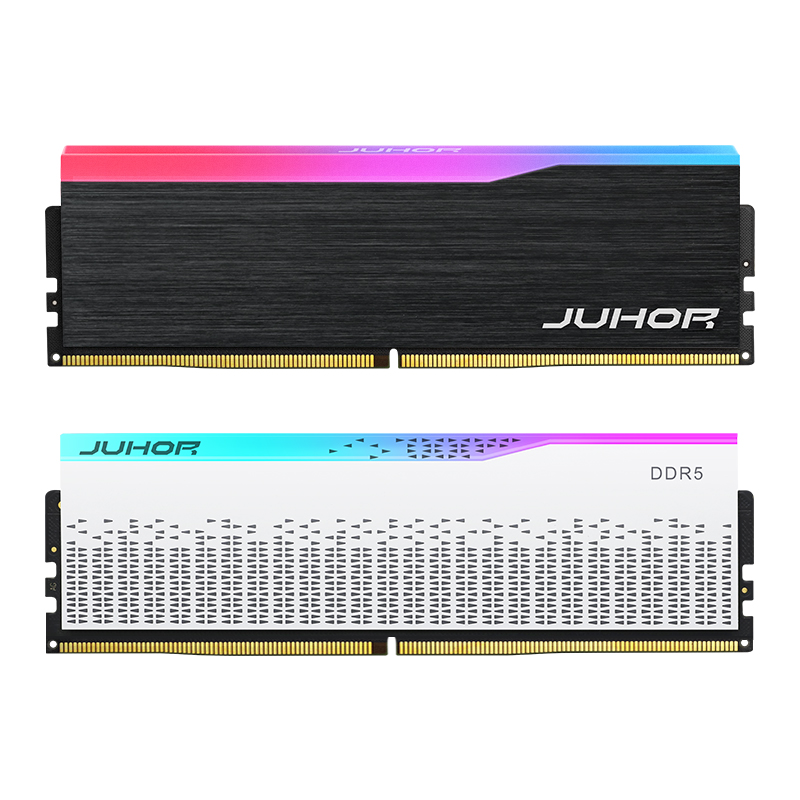
JUHOR's Star Domain DDR5 desktop memory page describes a 32GB kit direction and lists 4800, 5600, 6000, and 6400 options. The reviewed page does not explicitly list a DDR5-5200 SKU. It therefore supports a DDR5 desktop inquiry, but it does not confirm availability of the exact 32GB 5200 product requested here.
Ask JUHOR to confirm whether a 5200 operating requirement can be supplied and qualified for the target platform, and whether that proposal is a 1 x 32GB module or 2 x 16GB kit. A higher-rated module running at 5200 would need its own specification and host approval; it should not be relabeled as an unverified dedicated 5200 SKU.

Reference image from JUHOR's DDR5 desktop range. The image does not identify a confirmed 32GB DDR5-5200 SKU.
| Buyer sends | Supplier should return |
|---|---|
| Desktop or motherboard model, revision, CPU, and BIOS | Compatibility evidence, restrictions, or a platform-specific sample plan |
| 32GB target capacity and modules per system | Capacity per module, exact part number, kit format, and module class |
| 5200 MT/s requirement and default/profile policy | Default SPD data, any required profile, voltage, and confirmed operating conditions |
| Existing module labels and final slot population | Mixing assessment and required validation of the complete configuration |
| Quantity of systems, quantity of modules, destination, and timing | Sample availability, quote basis, current lead time, and packaging terms |
Keep confirmed and pending answers visible in the quotation. Release the order once the proposed product format, actual operating rate, and host validation agree. Retain the approved sample specification and ask for notice if components or SPD programming change between lots.
No. It can describe one module or a kit totaling 32GB. Confirm the capacity per module and module count.
Listings often use MHz for the effective DDR rate. Write 5200 MT/s in the order specification and distinguish it from the DRAM clock.
No. The exact module may offer standard 5200 operation, or it may use a profile. Check its SPD data and the platform requirement.
No. CPU support, per-slot capacity, module class, BIOS, and population rules must also match.
The final combination needs testing. A shared label or lower common rate does not guarantee stable operation.
Possibly, if its supported settings and the host allow it. Obtain a configuration-specific specification and test result rather than assuming downclocking compatibility.
The reviewed public page does not confirm it. Send the platform, module count, and capacity target so JUHOR can confirm a suitable SKU and quotation.
Send JUHOR the platform model, CPU, BIOS, requested modules per system, and 32GB target capacity. State whether 5200 MT/s must run at default settings and include existing-memory details. Request an exact datasheet, sample-validation proposal, and quote against that configuration.


4 / F, No. 18, Langkou Industrial Park, Langkou Community, Dalang Street,Shenzhen,Guangodng , China