<meta charset="UTF-8"/><meta name="viewport" content="width=device-width, initial-scale=1.0"/><title>32GB DDR5 6000 RAM: Compatibility, Kit Configuration and Buying Checklist</title><meta name="description" content="Check 32GB DDR5-6000 desktop RAM by operating conditions, module count, CL requirements, platform support, and sample evidence. Prepare a configuration-specific sample and quote request."/>
To approve a 32GB DDR5-6000 desktop configuration, confirm the module arrangement, the settings required for 6000 MT/s, and the platform on which those settings have been tested. Add any CAS latency requirement to that same specification. A capacity and speed label alone cannot describe the complete product.
Listings using “6000MHz DDR5 32GB” may describe a two-module kit, a single module, or a performance setting that requires BIOS configuration. This guide helps a system builder or procurement team turn that description into a defined sample request and purchase line. It stays with 32GB desktop memory at the proposed 6000 operating rate.
DDR5-6000 describes an effective data rate of 6000 MT/s. The MHz wording used in many listings should be clarified in the order sheet. A diagnostic reading near 3000 MHz for the DRAM clock can correspond to 6000 MT/s because DDR transfers data twice per clock cycle.
The rating does not establish the first-boot setting. A performance module may start at a lower JEDEC/default rate and use an XMP or EXPO profile for 6000. The actual default and profile settings belong to the exact SKU. Do not assume that all products carrying the same headline rating have identical SPD data or firmware behavior.
For a desktop specification that promises 6000 operation, record the CPU, motherboard revision, BIOS, module count, and approved profile. The memory controller and motherboard must be able to train and run that configuration stably. Selecting a profile is a configuration step; sample testing establishes whether the complete build meets the requirement.
| Condition to confirm | Question for the supplier | Required record |
|---|---|---|
| Default operation | What setting is available before a performance profile is applied? | Default SPD data for the quoted SKU |
| 6000 operation | Which stored setting and platform conditions support 6000 MT/s? | Factory profile data and applicable electrical conditions |
| Target desktop | Has the requested CPU, board, BIOS, and module count been tested? | Relevant test report or agreed qualification plan |
| Profile unavailable or unsuccessful | What is the approved recovery or alternative configuration? | Documented settings and buyer approval before release |
Intel XMP and AMD EXPO support must be confirmed for the actual product. A generic “Intel and AMD compatible” statement can refer to baseline operation rather than the requested performance setting. The XMP and EXPO purchasing comparison explains the evidence to request for each platform.
State whether 32GB means total kit capacity or capacity per module. A 2 x 16GB kit and a 1 x 32GB module both provide 32GB, but their channel population, slot occupancy, and qualification requirements differ. Keep the per-module capacity and quantity of modules visible on the quotation.
For a fixed 32GB build on a common dual-channel desktop, a qualified 2 x 16GB kit is a practical starting point. One 32GB module can fit a specific expansion plan, but the initial configuration still needs to meet the workload requirement. Use the single-module versus two-module configuration guide when the package format has not yet been decided.
Confirm a full-size DDR5 desktop UDIMM and the memory class the host requires. An RDIMM or a compact module is not a substitute because its capacity and rate match. Also distinguish ordinary non-ECC desktop memory from a platform-supported ECC product; on-die error correction in DDR5 DRAM does not establish host-level ECC support.
CAS latency, or CL, describes the delay in memory clock cycles from a read command to the associated data becoming available under the relevant conditions. At the same data rate, a lower CL reduces that nominal CAS component. It does not describe the full CPU-to-memory access time or predict an application's performance by itself.
The nominal CAS component can be estimated as CL x 2000 / data rate in MT/s. For example, at 6000 MT/s:
| Illustrative configuration | Calculation | Nominal CAS component |
|---|---|---|
| DDR5-6000 CL30 | 30 x 2000 / 6000 | 10 ns |
| DDR5-6000 CL36 | 36 x 2000 / 6000 | 12 ns |
These are calculation examples, not JUHOR specifications or confirmed supply options. They do not represent total system latency. Other timings, controller behavior, module organization, and workload affect the final result.
If a project requires a particular CL, send that requirement to the supplier together with the data rate, capacity format, and platform. Ask engineering to review the full profile and relevant electrical limits rather than accepting a CL-only label. JUHOR's DDR5 CAS latency explanation provides further terminology for that discussion.
Do not copy one timing value across a product series. A supplier's 6000 option and a separate low-latency request may require different qualification. If the requested timing is unavailable, the supplier should state the offered configuration clearly so the buyer can evaluate it before the sample order.
Use the processor's official memory guidance and the motherboard's memory support information together. The exact CPU, board layout, BIOS, module size, rank, and number of populated slots can affect the supported operating rate. A broad chipset name or motherboard overclocking headline does not establish a particular 32GB-6000 result.
Read a QVL entry by complete part number and tested configuration. Check its module count, capacity, speed, and applicable CPU or BIOS conditions. An entry for a different kit does not establish approval for the requested SKU. Where the exact part is unlisted, request a relevant supplier test record or qualify samples on the intended host.
Follow the board manual for slot placement. A test with two modules should not be used as evidence for a later four-module configuration. Adding another kit changes the load on the memory controller, and separate kits may have different components or SPD data even when their labels share a brand, capacity, and speed.
For an upgrade, decide whether existing modules will remain. Record their part numbers and the final total capacity before proposing an addition. If the target is 32GB total, test that complete arrangement. If the request means adding 32GB to the machine, it is a different configuration and needs a separate assessment.
A useful sample response identifies both the hardware and the settings being evaluated. Request a dated datasheet or SKU sheet, a default/profile record, and a test plan with the relevant host details. A photograph of the module or a screenshot of a running rate cannot replace those documents.
| Evidence | What it should establish |
|---|---|
| SKU specification | Part number, revision, DDR5 UDIMM class, capacity per module, module count, and dimensions |
| SPD/profile record | Default rate, available factory profile, target CL or other required parameters, and electrical conditions |
| Platform record | CPU, motherboard model/revision, BIOS, intended slots, and operating-system environment |
| Sample test report | Detected capacity, active rate, boot behavior, memory-test conditions, workload, duration, and errors |
| Repeat-order policy | Lot identification and the component or programming changes that require notification and retesting |
Agree the test method and pass criteria before the samples arrive. Verify cold boot and restart, the full 32GB capacity, the active 6000 setting, and stability under a defined memory test and the actual application workload. Run the checks in the production chassis with its intended cooling.
If a sample detects correctly but runs below 6000, classify it as an operating-setting issue until the cause is established. If it starts at 6000 but produces errors under load, the target configuration has not passed validation. Record the failure and review the platform, profile, or product proposal before accepting a revised setting.
The evidence offered by a supplier can vary. Ask which reports are available for the exact SKU and which tests would need to be performed for the project. Do not interpret the request list as a promise that every supplier provides every document automatically.
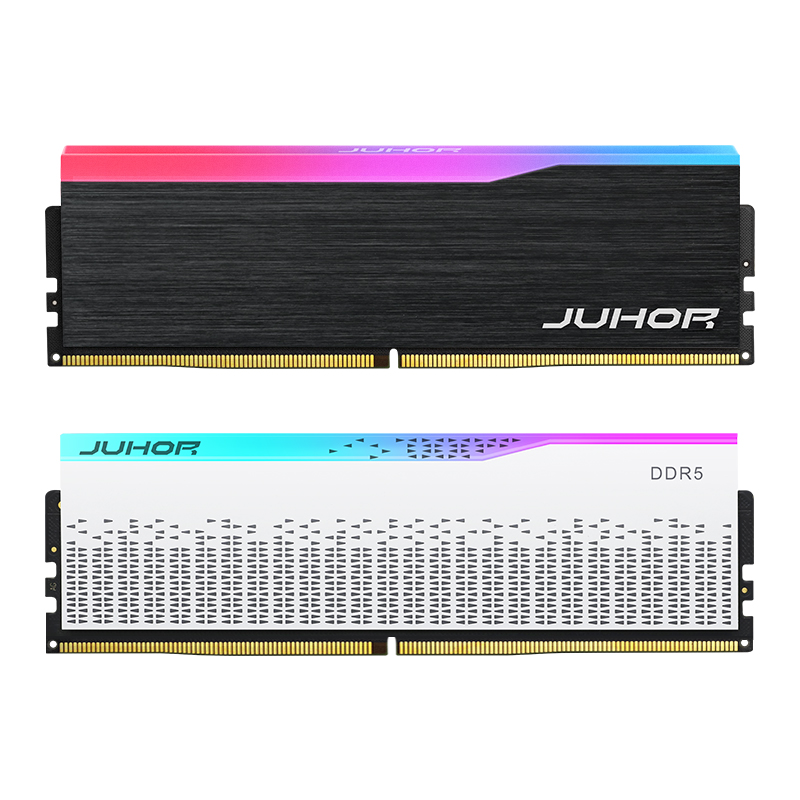
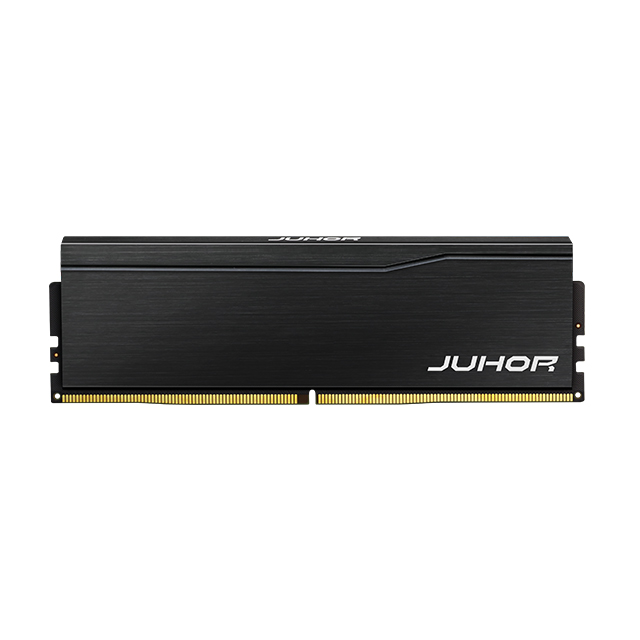
The JUHOR Star Domain DDR5 desktop memory page explicitly describes a 6000 option using two 16GB modules for 32GB total capacity. This provides a relevant catalog basis for a 32GB DDR5-6000 sample inquiry.
The page also groups several frequency and capacity options. Obtain the exact quotation SKU and its default/profile details before approving the order. The current article does not establish a JUHOR CL value, a default voltage, certification status, or universal 6000 compatibility. A request for a single 32GB module needs its own supply confirmation.

Official JUHOR product reference. Confirm the capacity, profile, and timing requirements from the quoted SKU documentation.
Send the supplier the target platform and desired timing requirement rather than asking only for “6000MHz DDR5 32GB.” Ask which module or kit can be proposed, what sample evidence is available, and which conditions remain subject to testing. That answer gives purchasing a technical basis for comparing the model quote.
Identify the CPU, motherboard and revision, BIOS, operating system, and application.
Specify 32GB total as 2 x 16GB or a requested 1 x 32GB module.
State 6000 MT/s as the required operating target and whether profiles are permitted.
Provide the required CL and any other timing or electrical constraints for engineering review.
Describe existing memory, final slot population, and cooler clearance.
Request the SKU sheet, sample quantity, test coverage, quote quantity, and delivery window.
Confirm packaging, revision-control rules, current lead time, and warranty handling for the offered model.
Keep the sample and volume order tied to the same approved configuration. Review proposed component or SPD changes before assuming that a repeat shipment will retain the original profile result.
No. Default settings and profile requirements differ by SKU, and the platform must support stable operation at the requested rate.
It can mean either. Confirm capacity per module and the number of modules in the quoted package.
No. Choose a timing requirement from the workload, platform support, price, and validated configuration. A lower nominal CAS delay is not a universal application-performance result.
No. Request the stored-profile record and confirm support for the exact SKU and motherboard.
That arrangement needs its own validation. The original kit's rated result does not automatically cover a combined population.
The exact SKU specification, default/profile record, target-platform details, and a sample test result against agreed pass criteria.
Use the quotation's model-specific documentation. The catalog description alone should not be treated as confirmation of a particular CL or complete timing requirement.
Send JUHOR the CPU and motherboard list, BIOS versions, 32GB capacity arrangement, required CL, quantity, and intended application. Request samples and a model quotation with the operating conditions stated. Approve the product when the specification, sample evidence, and planned desktop configuration agree.
<!--!doctype-->


4 / F, No. 18, Langkou Industrial Park, Langkou Community, Dalang Street,Shenzhen,Guangodng , China