A system builder does not need every available DDR5 frequency. It needs a controlled set of memory SKUs that covers the intended CPU and motherboard platforms, meets each system's performance target, and can be validated without creating unnecessary inventory.
DDR5-4800, 5600, 6000, and 6400 each have a place in a product plan. The right choice depends on the platform's supported memory data rate, motherboard layout, DIMM population, capacity, memory profile, BIOS, workload, and price position. This guide explains how builders, gaming brands, and system integrators can turn those variables into a practical DDR5 RAM speed portfolio.
| Speed tier | Theoretical bandwidth per 64-bit module | Practical SKU role | Main qualification question |
|---|---|---|---|
| DDR5-4800 | 38.4 GB/s | Entry systems, controlled legacy DDR5 platforms, compatibility-led projects | Does the target platform use 4800 MT/s as its supported or fallback setting? |
| DDR5-5600 | 44.8 GB/s | Mainstream business PCs, balanced consumer systems, broad platform coverage | Can one validated 5600 SKU cover several high-volume boards? |
| DDR5-6000 | 48.0 GB/s | Gaming PCs, creator systems, performance-oriented configurations | Is the rated setting supported through the required XMP or EXPO profile? |
| DDR5-6400 | 51.2 GB/s | Premium gaming and higher-bandwidth desktop builds | Can the complete platform maintain 6400 MT/s with the chosen capacity and DIMM count? |
The bandwidth figures are theoretical and do not predict application performance by themselves. They assume one 64-bit module data path and are calculated from the rated transfer rate. Real throughput and latency depend on the processor, memory controller, motherboard, timings, BIOS settings, channel configuration, and workload.
Retail listings often describe DDR5 speed in MHz, but the numbers 4800, 5600, 6000, and 6400 refer more accurately to megatransfers per second, or MT/s. DDR transfers data twice per clock cycle, so the physical memory clock is lower than the advertised data rate.
For a purchasing specification, write the target as DDR5-6000 or 6000 MT/s and record the required profile, voltage, timings, capacity, and module configuration separately. Two products with the same rated data rate can behave differently because their other attributes are not identical.
DDR5-4800 is the lowest of the four tiers, but that does not make it obsolete. It can be appropriate for entry DDR5 desktops, fixed commercial platforms, replacement demand, and projects where broad boot compatibility matters more than incremental bandwidth.
A 4800 SKU can also serve as a controlled fallback during diagnosis. If a faster profile does not train reliably, testing at a lower supported setting helps the engineering team separate a profile or signal-margin issue from a faulty module. This does not mean every fast module will automatically operate at the same fallback setting; the actual behavior must be checked on the target platform.
Do not keep DDR5-4800 simply because it has the lowest unit cost. If current high-volume boards and processors are specified for faster memory, a 4800-only configuration may weaken the system's market position without producing enough savings at the complete-system level.
DDR5-5600 often fits business PCs, mainstream consumer desktops, compact systems, and cost-controlled workstations. It offers 16.7% more theoretical bandwidth than DDR5-4800 while staying below the validation demands commonly associated with higher performance profiles.
For many builders, 5600 is the most useful volume anchor because it can support a clear “current-generation DDR5” message without forcing every system into a performance-overclocking position. The purchasing team should still verify the processor's supported memory data rate, motherboard qualified-vendor information, BIOS revision, capacity, and DIMM population.
If the business sells several office and general-purpose models on related platforms, one qualified 5600 family may reduce duplicated stock. It should not be assumed to cover every motherboard merely because the connector is DDR5.

DDR5-6000 is a practical performance tier for gaming PCs, creator systems, and higher-specification consumer desktops. It raises theoretical bandwidth by 25% over DDR5-4800 and by about 7.1% over DDR5-5600. Application gains will be smaller or larger depending on whether the workload is sensitive to memory bandwidth and latency.
At this tier, the memory profile becomes part of the product definition. AMD describes EXPO as a DDR5 memory-overclocking profile technology for Socket AM5 systems, while Intel XMP 3.0 applies to DDR5. A system builder must confirm that the exact module, profile, CPU, motherboard, and BIOS combination reaches the intended setting and passes the chosen stability tests.
DDR5-6000 can function as the main gaming SKU when the platform matrix supports it. Builders that want product-specific context can review the Juhor DDR5-6000 memory review. Its results apply to the documented test configuration and should not be treated as a guarantee for every system.
DDR5-6400 provides 33.3% more theoretical bandwidth than DDR5-4800, but only 6.7% more than DDR5-6000. That narrower step explains why it should be positioned selectively. A premium gaming PC, an enthusiast desktop, or a bandwidth-sensitive application may justify the higher tier. A GPU-limited gaming system or standard office PC may show little customer-visible benefit.
Qualification risk can rise with memory speed, capacity, rank configuration, and the number of populated slots. A board that reaches 6400 MT/s with two modules may require a lower setting with four. The supported result can also change with the processor's memory controller and BIOS. Therefore, the SKU label should follow the validated system configuration, not a general claim that the motherboard “supports 6400.”
Use DDR5-6400 when it creates a clear system tier and the sales price covers the added sourcing, validation, support, and potential inventory cost. Otherwise, a well-qualified 6000 configuration may be the more efficient performance SKU.
A reliable SKU plan combines speed with capacity and platform details. The following fields should be controlled for every system configuration:
DDR5 module part number and revision
Module capacity and total installed capacity
Single-module or matched multi-module supply format
Rated data rate and intended operating setting
Published voltage and timing information for the selected product
Intel XMP, AMD EXPO, or standard profile requirement
Motherboard model, revision, and BIOS version
Processor model and supported memory configuration
Number of populated DIMM slots
Heat-spreader height and cooler clearance
Label, packaging, traceability, and OEM branding requirements
Capacity should be chosen before chasing the highest frequency. A system that runs out of memory will usually suffer more than one that has adequate capacity at a slightly lower data rate. Gaming brands may standardize on 32GB for a performance line, while creator or workstation configurations may need 64GB or more. Those capacity decisions must be tested with the intended speed and DIMM population.
| System line | Suggested speed tier to evaluate | Commercial purpose | Release condition |
|---|---|---|---|
| Entry DDR5 | 4800 | Price-sensitive or fixed-platform configurations | Use only where platform fit and market positioning remain acceptable |
| Mainstream | 5600 | High-volume business and general consumer PCs | Validate across the boards that will share the SKU |
| Gaming or creator | 6000 | Performance messaging with manageable portfolio breadth | Confirm profile support and stability on every released configuration |
| Premium gaming | 6400 | Higher specification and bandwidth differentiation | Release only for named CPU, board, BIOS, capacity, and DIMM-count combinations |
This is a planning framework, not a universal platform recommendation. A builder may need only two of these tiers. For example, 5600 can cover business systems and 6000 can cover gaming systems. Adding 4800 or 6400 is justified only when it serves a distinct installed base, tender specification, price band, or performance claim.
Start with the processor specification and motherboard documentation. Check the supported DDR5 generation, memory data rates by DIMM population, maximum capacity, qualified memory list, and BIOS notes. QVL inclusion is useful evidence, but absence does not automatically mean incompatibility; it may mean the exact combination was not tested by the board vendor.
Test the configuration that will actually ship. Record the module revision, CPU, motherboard revision, BIOS, graphics configuration, total capacity, slot population, loaded profile, training result, and effective data rate. The validation plan should include cold boots, warm restarts, memory testing, representative workloads, and recovery after BIOS reset where relevant.
Do not validate one open-bench sample and then assume that every production lot will behave identically. The purchasing agreement should define BOM control, change notification, lot traceability, and when a change requires new platform testing.
Each added combination of speed, capacity, heat spreader, color, and packaging creates another stock unit. Too many SKUs divide forecasts and increase slow-moving inventory. Too few can leave a system line without the right performance or price position.
Use three tests before adding a DDR5 RAM speed:
Platform test: Does a named group of systems require or benefit from it?
Customer test: Does it answer a real tender, channel, gaming, or brand requirement?
Economic test: Does expected volume justify qualification, packaging, support, and inventory?
Forecast by complete part number rather than grouping all DDR5 together. A supplier may have capacity for DDR5 modules while a specific speed, component configuration, heat spreader, or package still has a different availability profile.
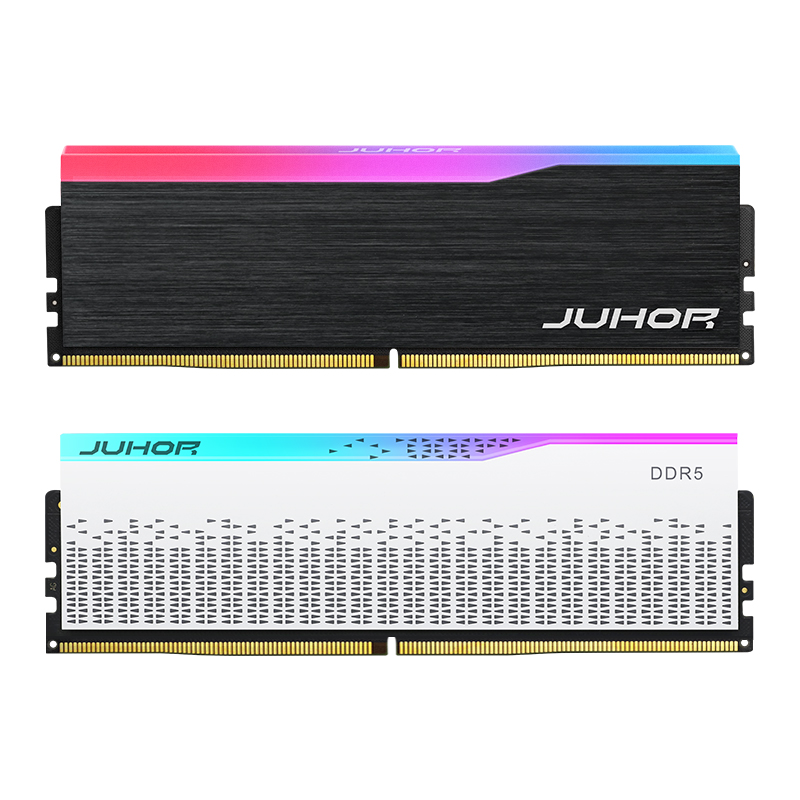
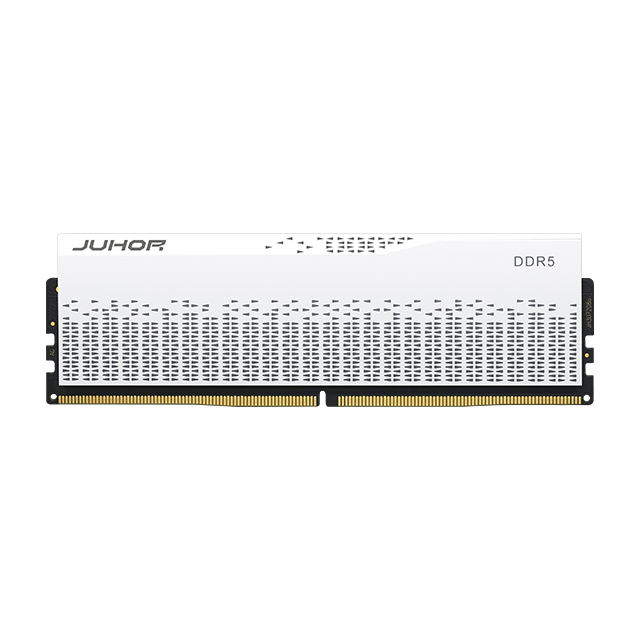
Juhor's published DDR5 desktop memory range includes multiple product families for desktop systems. One published Juhor DDR5 Star Domain memory line lists 4800, 5600, 6000, and 6400 MT/s options, 16GB and 32GB module capacities, 1.25V to 1.35V depending on configuration, a 288-pin desktop form factor, and Intel XMP 3.0 and AMD EXPO support.
Those specifications should be confirmed against the exact quoted part number. Not every capacity, profile, voltage, appearance, or supply format should be assumed available at every speed. Buyers should request a current specification sheet, sample configuration, test evidence, approved BOM conditions, packaging details, MOQ, lead time, warranty terms, and lot-traceability method before release.

Target DDR5 speeds and preferred capacity for each system tier
Processor, motherboard, revision, BIOS, and planned DIMM population
Required XMP or EXPO profile and any standard-speed requirement
Estimated sample quantity, initial order, and rolling forecast by SKU
Target market, application, certification, labeling, and packaging needs
Required validation records and acceptance criteria
BOM-lock, change-notification, traceability, and RMA requirements
Delivery destination and requested schedule
A complete RFQ allows the supplier to confirm whether a two-tier or four-tier portfolio is commercially and technically realistic. It also prevents a fast module from being quoted without the platform-specific conditions required to reach its rated setting.
There is no universal best speed. DDR5-5600 can anchor mainstream systems, 6000 can serve gaming and creator builds, 4800 can cover selected compatibility-led projects, and 6400 can support qualified premium configurations.
It has a higher rated data rate and theoretical bandwidth. Actual application performance depends on timings, CPU, motherboard, memory controller, profile, capacity, DIMM population, and workload.
It may operate at a lower supported setting, but behavior depends on the module profiles and platform. Confirm the fallback setting and stability with the exact CPU, board, BIOS, and memory configuration.
Not always. Some rated settings require Intel XMP or AMD EXPO to be enabled. The system builder should document the BIOS procedure and verify the effective speed after configuration.
It shows that a listed configuration was tested under specified conditions. Builders should still confirm revision, BIOS, module count, capacity, and profile. A module absent from the list may simply be untested.
First provide enough capacity for the workload. Then select the highest useful and stable speed within the platform, cost, and product-positioning targets.
Not necessarily. Additional DIMMs increase load on the memory controller and board traces. Check the platform documentation and validate the exact four-module configuration.
Confirm the part number, speed, capacity, voltage, profile, supply format, platform compatibility, test records, packaging, MOQ, lead time, warranty, BOM conditions, and traceability for the quoted configuration.
A useful DDR5 portfolio is not the one with the longest frequency list. It is the one that gives each system line a clear role, reaches its documented setting on the intended platform, and can be supplied consistently. Start with mainstream and performance anchor SKUs, then add entry or premium tiers only when customer demand and platform evidence support them.
Send Juhor your platform matrix, capacity plan, target DDR5 RAM speed, forecast, and OEM requirements to compare suitable module configurations and arrange sample validation.


4 / F, No. 18, Langkou Industrial Park, Langkou Community, Dalang Street,Shenzhen,Guangodng , China