A purchase order can say “16GB DDR4-3200” and still identify the wrong product. A laptop may require a 260-pin SODIMM, while a desktop motherboard may require a full-size 288-pin UDIMM. The capacity and advertised speed can match, but the modules will not fit the same slot.
This is a common risk for distributors that source laptop and desktop memory through one catalog. The device category is only the first filter. Buyers also need to check whether the memory is socketed, how many slots are available, the supported DDR generation, capacity limits, operating speed and module class before approving a sample or bulk order.

DDR4 SODIMM is a compact memory format used by many laptops, mini PCs, all-in-one computers and embedded systems. A standard DDR4 SODIMM has 260 contacts and is about half the length of a full-size desktop module.
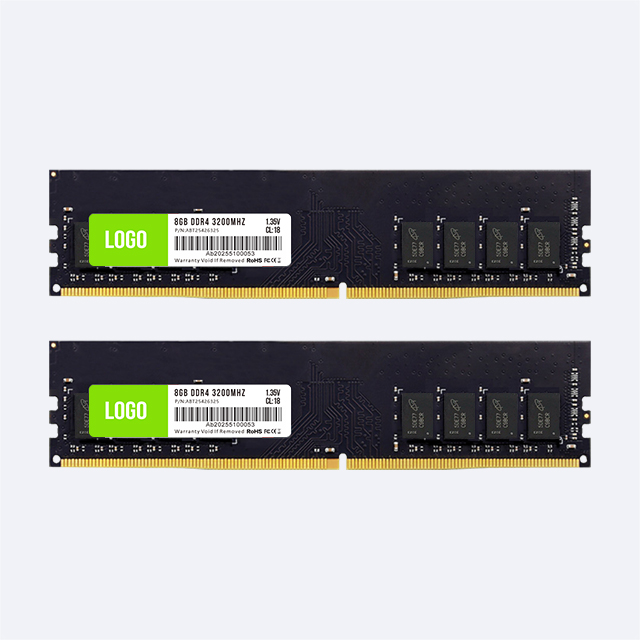
UDIMM means Unbuffered Dual In-line Memory Module. In PC procurement, it usually refers to the full-size unbuffered module installed in desktop motherboards. A standard DDR4 UDIMM has 288 contacts. The board length, contact layout and notch position differ from SODIMM, so one cannot be inserted directly into the other's slot.
The terminology needs one qualification: “SODIMM” describes a compact module format, while “unbuffered” describes how the memory controller communicates with the module. Most ordinary laptop DDR4 SODIMMs are also unbuffered. Product listings still use SODIMM for laptop memory and UDIMM or DIMM for standard desktop memory, so purchase documents should state both the DDR generation and the required physical format.
| Check | DDR4 SODIMM | DDR4 UDIMM |
|---|---|---|
| Common systems | Laptops, mini PCs, compact all-in-one and embedded devices | Desktop PCs and some workstations |
| Contact count | 260 pins | 288 pins |
| Approximate module length | 67.6 mm | 133.35 mm |
| Slot type | DDR4 SODIMM slot | DDR4 DIMM slot that supports UDIMM |
| Direct interchangeability | None; the modules have different physical and electrical interfaces | |
| Common procurement error | Assuming every laptop has replaceable SODIMMs | Confusing standard UDIMM with ECC UDIMM or registered server memory |
Do not select the module from photographs alone. A label, motherboard manual or verified device specification provides better evidence than the appearance of the computer chassis.
Some thin laptops use soldered LPDDR memory and have no SODIMM slot. Others combine soldered memory with one open socket. A third group has two replaceable SODIMM slots. These systems can share the same processor family and exterior design while requiring different upgrade plans.
For each laptop model, record the amount of soldered memory, number of physical slots, number of occupied slots, maximum total capacity and maximum capacity per slot. If a unit has 8GB soldered plus one SODIMM slot, ordering two matching modules will not solve the configuration. If it has no socket, a DDR4 RAM SODIMM order has no installation path.
Desktop towers usually use UDIMMs, but mini PCs and compact all-in-one systems may use SODIMMs. The words “desktop computer” therefore do not prove the slot type. Check the motherboard or service manual for every model included in a mixed fleet.
SODIMM is not a DDR generation. DDR3, DDR4 and DDR5 SODIMMs exist, and their pin layouts and notch positions are different. The same is true for full-size desktop modules. A DDR4 SODIMM cannot replace a DDR3 or DDR5 SODIMM, and a DDR4 UDIMM cannot be used in a DDR5 desktop slot.
When a distributor maintains several platform generations, the quotation should separate them into different line items and part numbers. Do not use a broad description such as “laptop RAM” for a shipment that includes DDR3, DDR4 and DDR5 devices. Buyers deciding which generation belongs in new and existing systems can also review this DDR4 vs DDR5 guide for bulk buyers.
A module can fit physically and still exceed the platform's supported capacity. Check the maximum total memory, maximum capacity per slot, supported number of ranks and any restrictions tied to the processor or BIOS version.
The total requirement also determines the module plan. A two-slot laptop needing 16GB may use 2×8GB, while a system with one usable slot may require 1×16GB. A desktop buyer may choose 2×16GB for a 32GB dual-channel configuration or use another layout when the motherboard has a different channel design. Confirm whether the supplier is quoting individual modules or a tested matching set; identical total capacity does not mean identical packaging or validation.
The number printed on the module is its rated speed, not a promise that every device will operate at that rate. The CPU memory controller, motherboard wiring, BIOS, installed module count and SPD profiles determine the actual setting. A DDR4-3200 module may run at a lower supported speed in an older platform, but buyers should not assume that every faster module will fall back correctly in every device.
For a replacement program, record both the required module rating and the expected operating speed. Test mixed-speed configurations only if the commercial plan permits them. If two installed modules have different supported profiles, the system may select a shared lower setting or may fail the buyer's stability requirements.
Most consumer and office desktops use non-ECC unbuffered memory. Some workstations support ECC UDIMMs, while many servers use registered DIMMs. These categories are not interchangeable merely because the modules are full size and belong to the DDR4 generation.
The CPU and motherboard must support the exact memory class. A buyer should state non-ECC UDIMM, ECC UDIMM or RDIMM rather than writing “desktop DDR4.” The same caution applies to specialized ECC SODIMMs used by selected mobile workstations or compact systems. If ECC support is not documented for the platform, request confirmation before ordering.

| Procurement scenario | Likely form factor | Evidence required before ordering |
|---|---|---|
| Business laptop upgrade | DDR4 SODIMM, if socketed | Exact model, service manual, soldered memory, slot count and capacity limit |
| Laptop repair inventory | DDR4 SODIMM | Device matrix, common capacities, supported speeds and sample coverage |
| Mini PC or compact all-in-one | Often SODIMM, but platform dependent | Motherboard specification or physical slot identification |
| Office desktop assembly | DDR4 non-ECC UDIMM | CPU, motherboard, BIOS, channel layout and approved module specifications |
| Professional workstation | UDIMM, ECC UDIMM or another platform-specific type | Memory class, ECC support, channel population and vendor compatibility list |
List each laptop, mini PC and desktop model separately. Include the CPU, motherboard or system model, BIOS revision, DDR generation, slot type, open slots, existing memory, target capacity and expected speed. Group devices only after the specifications match.
Check the label and module dimensions, then install the sample in every representative platform group. Confirm boot, recognized capacity, operating speed and channel mode. Run cold starts, restarts, sleep or resume where applicable, and a memory diagnostic followed by the customer's normal workload.
The purchase order should identify the exact part number, form factor, capacity per module, quantity per system, DDR generation, speed, voltage, ECC status, packaging and label requirements. State whether substitutions require written approval and whether the configuration must be supplied as matched modules.
Use the same acceptance test for incoming lots, especially when memory will support a mixed repair fleet. Retain the platform list and results so a later component or label change can be assessed against the original approval.
When the service manual is incomplete, inspect a sample device before building the order. Shut the system down, disconnect power and follow the manufacturer's service procedure. Record whether the memory is soldered or removable, photograph the slot and label, and capture the installed module's part number. Do not touch the contacts or force a module into a socket for comparison.
The existing label may show capacity, DDR generation, speed grade and part number, but it may not state every compatibility detail. Confirm the information in firmware or an operating-system inventory tool, then compare it with the motherboard documentation. Software can identify installed memory; it cannot create an expansion slot or prove that an untested higher-capacity module is supported.
For a repair channel, preserve this evidence as a device-family record:
Brand, full model and hardware revision
Processor and BIOS version
Installed and soldered memory capacity
Slot type, total slots and open slots
Existing module part number and reported speed
Target capacity and the sample configuration that passed
This record prevents a familiar warehouse problem: two machines with similar commercial names entering one compatibility group even though a later hardware revision changed from DDR4 SODIMM to soldered memory or another generation.
Keep SODIMM and UDIMM cartons as separate receiving lines. Compare the carton label, module label, part number, capacity and speed with the approved sample before inventory is released. A simple length and contact-format check can catch a form-factor mix-up, but electrical and platform compatibility still requires system testing.
If the order contains several capacities, use distinct internal stock codes and storage locations. Do not rely on similar heat spreaders or label colors. Sample each lot in its assigned laptop or desktop platform and record the recognized capacity and operating speed. Quarantine substitutions or unexplained label changes until the supplier confirms the product definition and the buyer repeats the required checks.
Ordering by capacity and speed without stating SODIMM or UDIMM.
Assuming every laptop has replaceable memory.
Using the chassis category instead of the actual motherboard slot.
Confusing DDR4 SODIMM with DDR3 or DDR5 SODIMM.
Ignoring soldered memory when calculating the final capacity.
Treating the module's rated speed as the guaranteed operating speed.
Mixing ECC, non-ECC, registered and unbuffered products in one generic line item.
Approving one sample for several device models that have different memory limits.
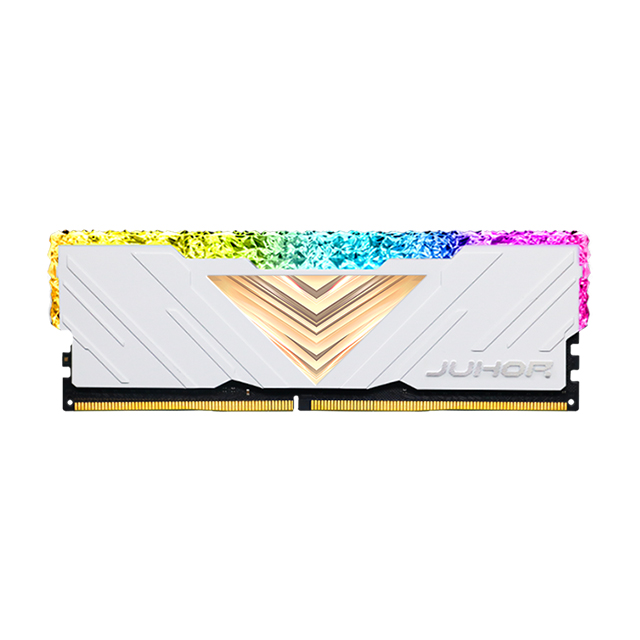
Juhor maintains separate DDR4 laptop memory and DDR4 desktop memory product lines. The laptop page identifies DDR4 SODIMM products in 4GB, 8GB, 16GB and 32GB capacities and lists common speeds of 2400MHz, 2666MHz and 3200MHz. The desktop catalog contains several DDR4 series and capacity options.
Those catalog ranges should not be converted into one assumed capacity-by-speed matrix. For a bulk quotation, send the device list, required capacity, form factor, target speed, voltage requirement, module count per system, quantity and delivery schedule. Juhor can then confirm the available part number and whether a single module or matching configuration is appropriate for the selected platform.
It is a compact 260-pin DDR4 memory module designed for socketed laptops and many space-constrained computers. The device must have a DDR4 SODIMM slot.
No. A DDR4 SODIMM is shorter and has 260 pins. A standard DDR4 desktop UDIMM has 288 pins. They do not fit the same socket.
Only when the desktop or mini PC motherboard has SODIMM slots. Standard desktop DIMM slots do not accept SODIMMs directly. Adapters add qualification risk and are not a sound default for commercial builds.
No. Some laptops have soldered LPDDR memory, some combine soldered memory with one slot, and others have one or two replaceable SODIMM slots.
It may operate at a lower supported speed if the module's SPD profiles and the platform allow it. Confirm this with the device manual and a sample test instead of relying on the rated speed alone.
Some platforms accept unequal capacities, but channel operation and stability can differ. For a repeatable commercial configuration, qualify the exact module pair and keep it consistent across the order.
Standard DDR4 modules commonly use 1.2V, but product series and performance profiles can differ. Put the required voltage on the specification and confirm the exact part number.
Send the device or motherboard model, CPU, BIOS, SODIMM or UDIMM requirement, capacity per module, module count, speed, voltage, ECC status, total quantity, packaging needs and delivery schedule.
The safest purchasing rule is direct: approve memory against the slot and platform, not against the words “laptop” or “desktop.” Create separate SODIMM and UDIMM line items, validate one sample in every platform group, and record the configuration that passed. For a Juhor quotation, provide the device matrix and target system capacity so the laptop and desktop requirements can be mapped to the correct DDR4 product line.
<!--!doctype-->


4 / F, No. 18, Langkou Industrial Park, Langkou Community, Dalang Street,Shenzhen,Guangodng , China