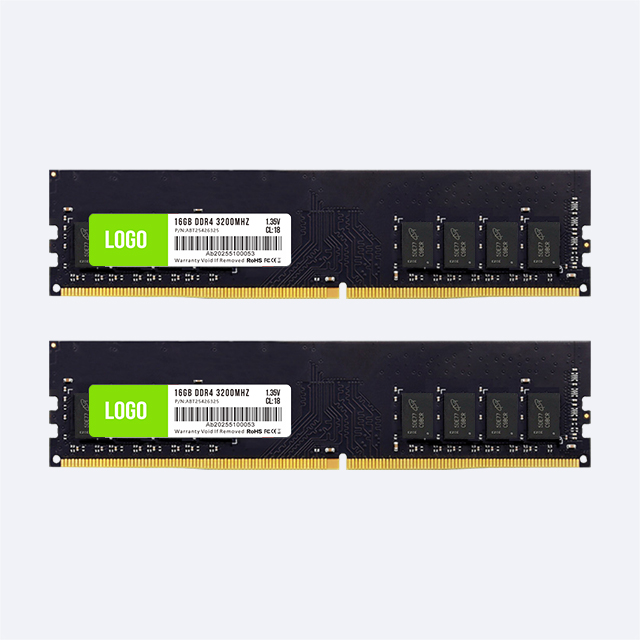
For a system builder, memory capacity is a bill-of-materials decision, not a premium badge. A 64GB workstation is justified when a defined workload can exceed the practical headroom of 32GB, when several memory-heavy applications must stay open together, or when a contract requires capacity for a known service life. If none of those conditions applies, 32GB may deliver the same user experience at a lower system cost.
This guide gives system integrators, workstation suppliers and procurement teams a repeatable way to decide between 32GB and 64GB RAM. It focuses on project evidence, module layout, platform validation and quotation details rather than personal upgrade preferences.

Use 32GB as the baseline for mainstream professional systems. Move to 64GB when at least one of the following conditions is documented:
The representative workload approaches the physical limit of a 32GB test system.
Committed memory exceeds installed RAM or sustained paging affects response time.
The user must run several professional applications, virtual machines, containers or local services at the same time.
Project files, caches, simulations or datasets are expected to grow during the workstation's service period.
The software vendor, tender document or customer acceptance plan calls for more than 32GB.
Adding memory after deployment would create costly field service, downtime or requalification work.
Do not specify 64GB solely because the processor and motherboard support it. Unused capacity does not make a CPU-bound render, GPU-bound viewport or storage-bound import faster.
| Workstation workload | 32GB starting point | When 64GB becomes the safer specification |
|---|---|---|
| 2D design and routine office engineering | Typical drawings, documents and one primary application | Large linked files, several design tools or data applications running together |
| CAD, BIM and 3D modeling | Moderate models with controlled references | Large assemblies, complex BIM models, rendering, point clouds or several linked projects |
| Video editing and motion graphics | HD or moderate 4K projects with a limited application set | High-resolution compositions, large caches, multicamera projects or editing plus effects and encoding |
| Software development | IDE, browser, database and a small container set | Multiple VMs, local Kubernetes, many services, large builds or concurrent test environments |
| Engineering and data analysis | Projects whose measured working set remains comfortably below 32GB | Larger meshes, simulations, datasets or parallel jobs that create memory pressure |
| Local AI development | Small models and light testing where the GPU and system allocation are known | Larger models, CPU or system-memory offload, longer contexts or concurrent local services |
These are qualification categories, not universal software requirements. Project size, plug-ins, background processes, GPU memory and operating-system behavior can change the result. The builder should test the customer's real project or a representative sample before freezing the configuration.
Peak physical use is useful, but it is not the only number to record. On Windows, also check committed memory and paging during the heaviest repeatable task. Microsoft explains that committed memory represents memory promised by the system and that page files extend the commit limit. If committed demand grows beyond available RAM, paging can increase and affect performance.
Run the complete workflow, not a newly opened application. Load the model, linked assets and browser references; perform the export, simulation, compile or render; and keep the normal security and communication tools active. If a 32GB sample repeatedly reaches its limit or depends on storage-backed paging, 64GB has a measurable purpose.
Professional users rarely work in one program at a time. A designer may keep CAD, rendering, image editing, collaboration and document tools open. A developer may run an IDE, database, WSL environment, containers and browsers together. Each application may fit inside 32GB on its own while the combined workload does not.
Specify capacity for the approved operating pattern. Closing required tools to pass a memory test is not a valid workstation design.
Some software vendors publish project-based guidance. Autodesk notes that Revit model data expands when loaded and gives an approximate memory calculation based on the compacted project file, while also warning that the operating system and other applications need RAM. For a BIM supplier, this supports sizing from the customer's largest central model and linked files rather than from the job title alone.
Creative workloads need the same project-aware approach. Adobe's current After Effects guidance recommends 32GB or more for 4K and higher media, but this does not make 64GB automatic. A 64GB tier is more defensible when effects, compositions, caches and companion applications push the tested 32GB system into memory pressure.
Each active VM needs an assigned memory budget, while the host operating system and native applications need their own reserve. Containers can be lighter, but a complete development stack may include many services, local databases and build tools. Add the planned allocations and test them under simultaneous load. If the total leaves little operating margin at 32GB, specify 64GB.
A workstation installed at a remote site, production line, secure facility or customer branch may cost more to reopen and requalify than the initial capacity difference. In this case, expected project growth and service access belong in the decision. The quote should still document why 64GB was selected and what growth assumption it covers.
For tenders and standardized fleets, the acceptance document may outweigh a generic capacity recommendation. Record the required total capacity, memory generation, module count, supported speed, voltage, form factor and any ECC requirement. “64GB RAM” alone is not a complete workstation specification.
Keep the standard tier at 32GB when representative projects remain well below the capacity limit, paging is not sustained, and the user's required applications stay responsive together. It is also sensible when another component is the proven bottleneck or when the system has an easy, qualified expansion path.
Avoid adding 64GB to compensate for an undersized GPU, slow storage, thermal limits or poor software configuration. More RAM solves capacity pressure; it does not correct every workstation performance problem.
Total capacity and module arrangement must be decided together. For many dual-channel desktop platforms, 32GB can be built as 2×16GB for channel population or as 1×32GB when future expansion is the priority. A 64GB build is commonly planned as 2×32GB. However, the correct population depends on the CPU memory controller, motherboard topology, number of memory channels and the platform's validated module list.
Four 16GB modules may fill all slots and may run at a different supported speed from a two-module configuration. On workstation platforms with more than two memory channels, installing only two modules can also leave memory bandwidth unused. Check the platform manual rather than applying one layout to every BOM.
DDR4 and DDR5 are not interchangeable. Builders selecting the generation for a new platform can review Juhor's DDR4 vs DDR5 guide for bulk buyers. The final choice must match the CPU, motherboard slots and approved BIOS.

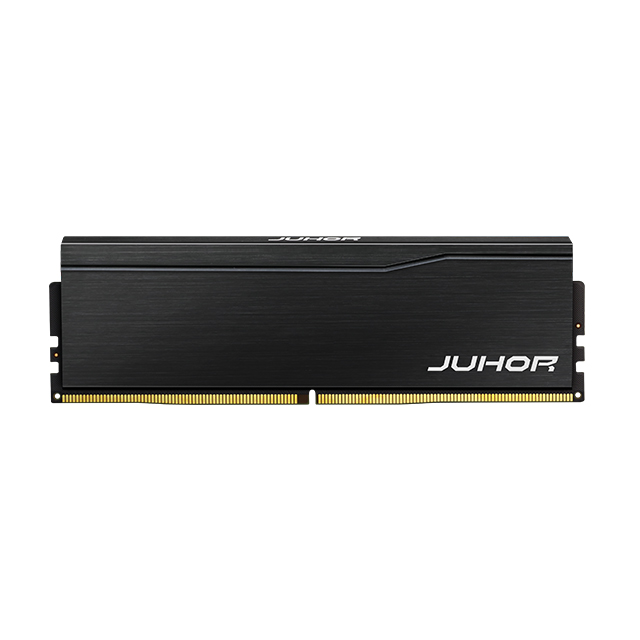
Juhor's public desktop-memory catalog includes 32GB-per-module options in its DDR4 desktop memory and DDR5 desktop memory lines. Depending on the selected product, a 32GB system can be planned as one 32GB module or a 2×16GB configuration.
For a 64GB workstation, the typical 2×32GB design should be confirmed at quotation stage. Ask Juhor to state whether the two modules are supplied as a matched set, along with the exact DDR generation, series, speed, voltage, availability, label and packaging details. A public 32GB-module listing does not by itself confirm every 2×32GB kit combination.
| Field | What the buyer should record |
|---|---|
| Capacity architecture | 32GB or 64GB total; module capacity and module count |
| Platform match | CPU, motherboard model, BIOS version and slot-population rule |
| Memory definition | DDR generation, DIMM form factor, supported speed, voltage and ECC or non-ECC class |
| Supply definition | Part number, matched-set status, label, packaging, lot identification and allowed substitutions |
| Validation sample | Pre-production quantity, test platform and pass/fail criteria |
| Commercial terms | MOQ, lead time, forecast, delivery schedule and change-notification process |
Update the test platform to the approved BIOS and production settings.
Install modules according to the motherboard's channel and slot instructions.
Confirm recognized capacity, operating speed and module count in firmware and the operating system.
Run a memory diagnostic, cold boots, restarts and any required sleep or resume checks.
Run the customer's largest representative project with the normal application mix.
Record peak physical memory, committed memory, page-file activity, errors and completion time.
Repeat an extended workload test and sample production lots using the same acceptance criteria.
The 64GB configuration passes for a business reason when it removes repeatable memory pressure, supports the specified concurrency or meets a contractual requirement without creating platform instability. If both capacities complete the approved workload with similar behavior, keep 32GB as the standard tier and offer 64GB only for documented exceptions.
No. Many mainstream design, engineering and development tasks run well within 32GB. Specify 64GB when workload measurements, concurrency, project growth or a contract supports it.
It is faster only when 32GB causes paging or prevents the workload from keeping required data in memory. Capacity alone does not improve a task limited by CPU, GPU or storage performance.
It is a common dual-channel desktop layout, but not a universal rule. Check channel count, motherboard instructions, validated modules and supported speeds for the exact workstation platform.
Possibly, if the platform validates that population. It uses more slots and may affect supported memory speed or future expansion, so compare it with 2×32GB during qualification.
No. Both DDR4 and DDR5 platforms can support 64GB configurations. The generation must match the processor and motherboard; the modules are physically and electrically different.
There is no fixed percentage for every workload. Test peak projects and normal background software, then leave enough margin for workload variation, operating-system needs and expected project growth.
Confirm the exact part number, DDR generation, speed, voltage, matched-set status, platform compatibility, labels, packaging, lot controls, MOQ and lead time.
Not by default. Microsoft notes that some products and crash-dump configurations require a page file. Keep operating-system policy separate from the physical-capacity decision and validate it with the deployed software.
A reliable workstation quote should show why 32GB or 64GB was selected, how that total is built from modules and how the configuration will be tested. Send Juhor your target CPU and motherboard, DDR generation, required capacity, preferred module layout, forecast and acceptance plan to confirm an appropriate memory option and sample-validation path.


4 / F, No. 18, Langkou Industrial Park, Langkou Community, Dalang Street,Shenzhen,Guangodng , China