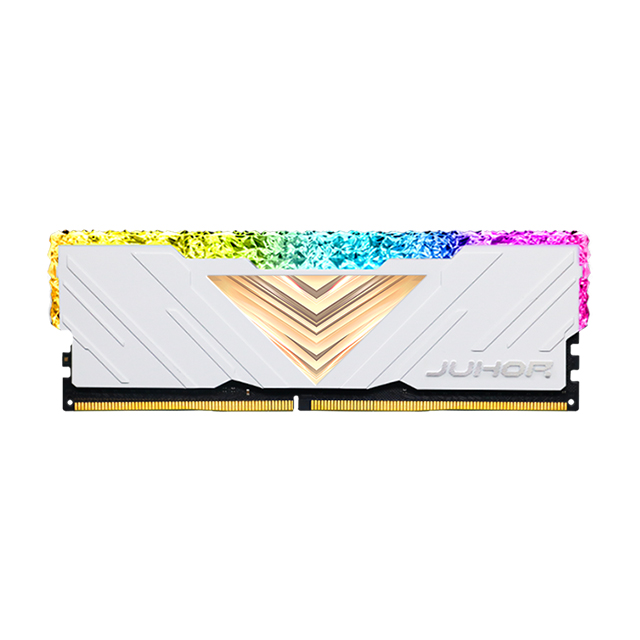
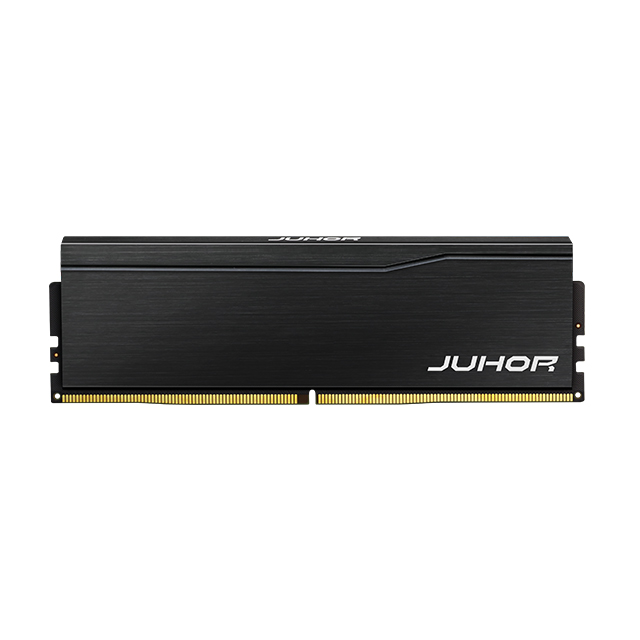
Understanding how RAM works on a computer is essential for anyone who wants better system performance, smoother multitasking, and smarter hardware upgrades. While many users know that “more RAM is better,” fewer truly understand what RAM does, how it interacts with the CPU, and why it plays such a critical role in everyday computing.
To explain this clearly, this article walks through how RAM works, why computers depend on it, and how different types of memory affect real-world performance—all using simple language and practical examples.
To begin with, RAM stands for Random Access Memory, and it is the main working memory inside a computer. Unlike storage devices such as SSDs or hard drives, RAM is designed for short-term, high-speed data access.
When a computer is powered on, the operating system, applications, and active data are loaded into RAM so the processor can access them almost instantly. Without RAM, the CPU would have to retrieve every piece of information directly from storage, which would slow the system to a crawl.
In simple terms, RAM gives your computer the space it needs to think and work efficiently.

To better understand how RAM works in a computer, it helps to look at its relationship with the CPU. The CPU processes instructions, but it does not store large amounts of data itself. Instead, it relies on RAM to hold the information it needs right now.
When you open an application, the system loads program files and related data from storage into RAM. From there, the CPU reads instructions from RAM, processes them, and writes temporary results back into RAM. This cycle happens billions of times per second.
Because RAM is much faster than SSDs or hard drives, this process allows applications to respond quickly and systems to feel smooth and responsive.
At a deeper level, RAM stores data in memory cells that can be accessed directly by address. This “random access” ability means the system can retrieve any piece of data in the same amount of time, regardless of where it is stored in memory.
Most system memory today uses DRAM (Dynamic Random Access Memory). DRAM stores each bit of data using an electrical charge that must be refreshed constantly. While this refresh process happens automatically and invisibly to users, it explains why RAM is volatile and why data is lost when power is removed.
Despite this limitation, DRAM remains the best balance of speed, capacity, and cost for main system memory.
As we move from basic operation to performance, RAM specifications often cause confusion. Three key terms matter most: speed, bandwidth, and latency.
RAM speed, often shown in MHz or MT/s, indicates how fast data can be transferred. Higher speeds allow more data to move between RAM and the CPU each second. Bandwidth refers to the total amount of data that can be transferred at once, which increases with faster memory and multi-channel configurations.
Latency, on the other hand, measures how long it takes for RAM to respond to a request. While higher speeds are helpful, latency also affects how quickly data becomes available. In real-world use, overall memory performance is a balance between these factors.
In practical use, RAM supports almost everything you do on a computer. When you start your system, RAM loads essential services. When you browse the web, RAM holds web pages and scripts. When you switch between programs, RAM keeps each task ready without reloading.
If a system runs out of RAM, it begins using storage as virtual memory. Because storage is much slower, this leads to lag, long load times, and unresponsive applications. This is why systems with insufficient RAM often feel slow, even if the processor is capable.
Simply put, enough RAM allows your computer to do more at once without slowing down.
Not all memory works the same way, and understanding the main types of RAM helps clarify system design.
DRAM is the standard memory used for system RAM due to its balance of speed and capacity.
SRAM, which is faster and does not require refreshing, is used in CPU caches rather than main memory because of its higher cost.
Modern computers rely on DDR (Double Data Rate) SDRAM, which transfers data on both clock edges to improve efficiency. Over time, DDR memory has evolved through multiple generations.

DDR4 and DDR5 memory follow the same basic working principles, but DDR5 introduces key architectural improvements. DDR5 offers higher data rates, increased memory density, and improved power management compared to DDR4.
One important change is the use of dual subchannels per module, which improves efficiency and parallelism. DDR5 also integrates power management on the module itself, helping systems run more efficiently under heavy workloads.
While both types of RAM perform the same core function, DDR5 is designed to support modern processors and demanding applications more effectively.
Even though RAM standards are widely adopted, not all memory works in every system. Each generation has physical and electrical differences that prevent incorrect installation. Additionally, the motherboard and CPU determine supported memory types, speeds, and capacities.
Choosing compatible RAM is more important than choosing the highest advertised speed. A balanced, supported configuration delivers better stability and real-world performance.
To clarify memory roles, it helps to compare RAM with other forms of memory. RAM is volatile and temporary, designed for speed. ROM stores essential firmware and retains data without power. Storage devices such as SSDs and hard drives provide long-term data retention.
Each plays a distinct role, and a system relies on all three to function properly.
Ultimately, knowing how RAM works helps users make better choices. Instead of focusing only on capacity or speed numbers, understanding memory behavior explains why upgrades improve performance and why compatibility matters.
As systems continue to evolve toward higher workloads and faster processors, RAM remains a central factor in system responsiveness and stability.
In summary, RAM is far more than just a specification on a product page. It is the working space that allows your computer to operate efficiently, handle multiple tasks, and deliver a smooth user experience. By understanding how RAM works in a computer, you can better diagnose performance issues, plan upgrades, and choose the right memory for your needs.
For businesses and system builders looking for stable, high-quality memory solutions, working with a trusted DDR memory manufacturer is essential. Juhor provides reliable DDR4 and DDR5 memory solutions designed for performance, compatibility, and long-term stability—helping you build systems that perform better today and remain ready for tomorrow.


4 / F, No. 18, Langkou Industrial Park, Langkou Community, Dalang Street,Shenzhen,Guangodng , China